School Owner guide
As a School Owner, you oversee the school workspace: academic setup, staff accounts, students, assessment arrangements, and school-wide results.
Get the school ready
- Follow the School setup checklist.
- Check School Settings → School Profile and the active Sessions & Terms.
- Review your classes and sections and assessment types.
- Add or import School Staff and students.
- Choose how instructors share assessment content and whether they are limited to assigned classes. See School Profile and settings.
When records are managed by Academium SMS, use Academium Sync rather than recreating the same records.
Give staff the right responsibilities
Use School Staff to add instructors and school admins. Assign instructors to the classes or sections they teach. Give each person their own sign-in details.
A School Admin can add instructors; creating another School Admin or School Owner is an owner responsibility. See School access and permissions.
Prepare your first sitting
Arrange the lab rooms, check that computers are registered and linked to seats, and ask an instructor to prepare a short trial paper.
Follow Your first school assessment. Check sign-in, question display, tools, submission, and marking before a full class uses it.
Oversee exams while they run
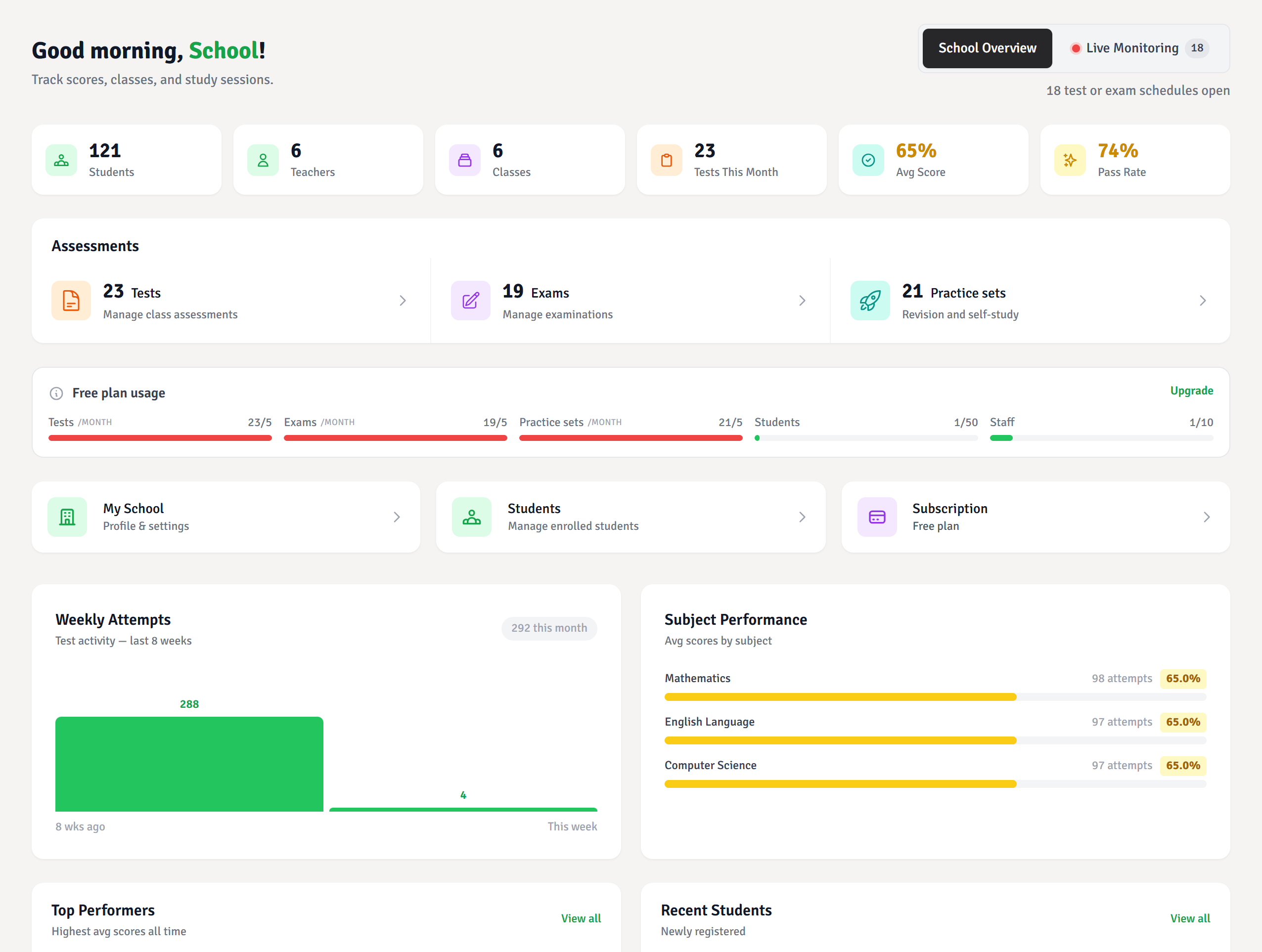
Open Dashboard and use Live Monitoring to find active and upcoming sittings. Open a sitting to see who has started, who has finished, and which requests need attention.
Use the scope shown on the action: one student, a selected class, or the whole sitting. See Watching a sitting live.
Finish the reporting work
- Check Report Center → Manual Grading for unfinished theory answers.
- Review Student Results for each class and subject.
- Resolve repeated-attempt conflicts before selecting official scores.
- Use Broadsheet for a view across subjects and Printables for report cards.
- If connected to SMS, preview and send the scores.
Keep routine server checks and backups with the person responsible for the school server. Use Preparing for a new term before changing the active academic period.