School Staff
Open School Staff to manage the instructors and admins who work in your school.
Before you add staff
Prepare the relevant classes and sections if you want to assign an instructor immediately. Each staff member needs a unique email address and their own account.
If the school’s staff are managed by Academium SMS, import them through Academium Sync. Manual creation is unavailable for those managed records.
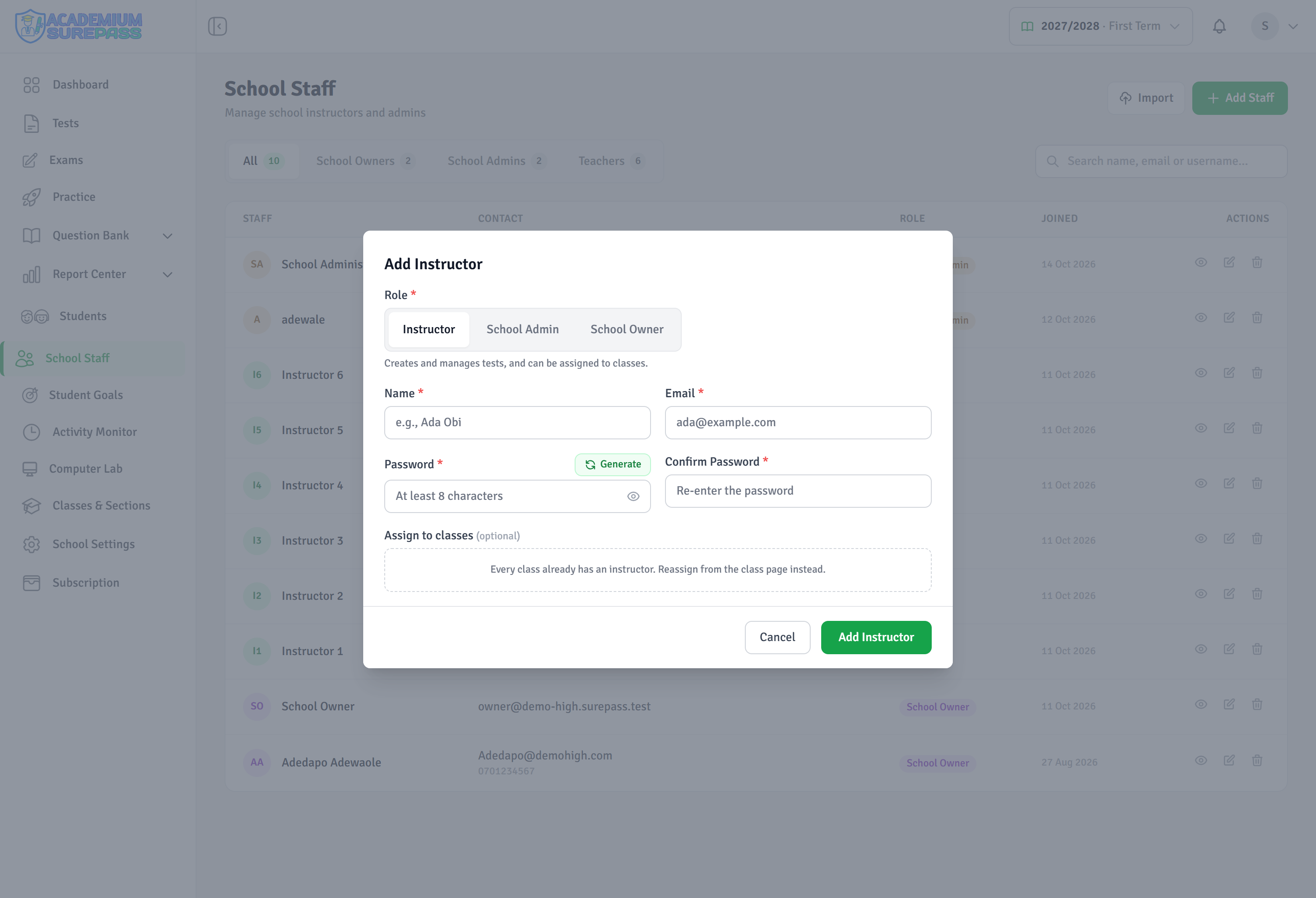
Add a staff member
- Click Add Staff.
- Choose the Role shown for your account.
- Enter the staff member’s Name and Email.
- Enter and confirm a password, or use Generate.
- For an instructor, review the optional Assign to classes selections.
- Confirm the addition and check the new account in the list.
School Owners can add Instructor, School Admin, and School Owner accounts. School Admins can add Instructor accounts.
Share credentials privately, and ask the staff member to sign in and change the initial password.
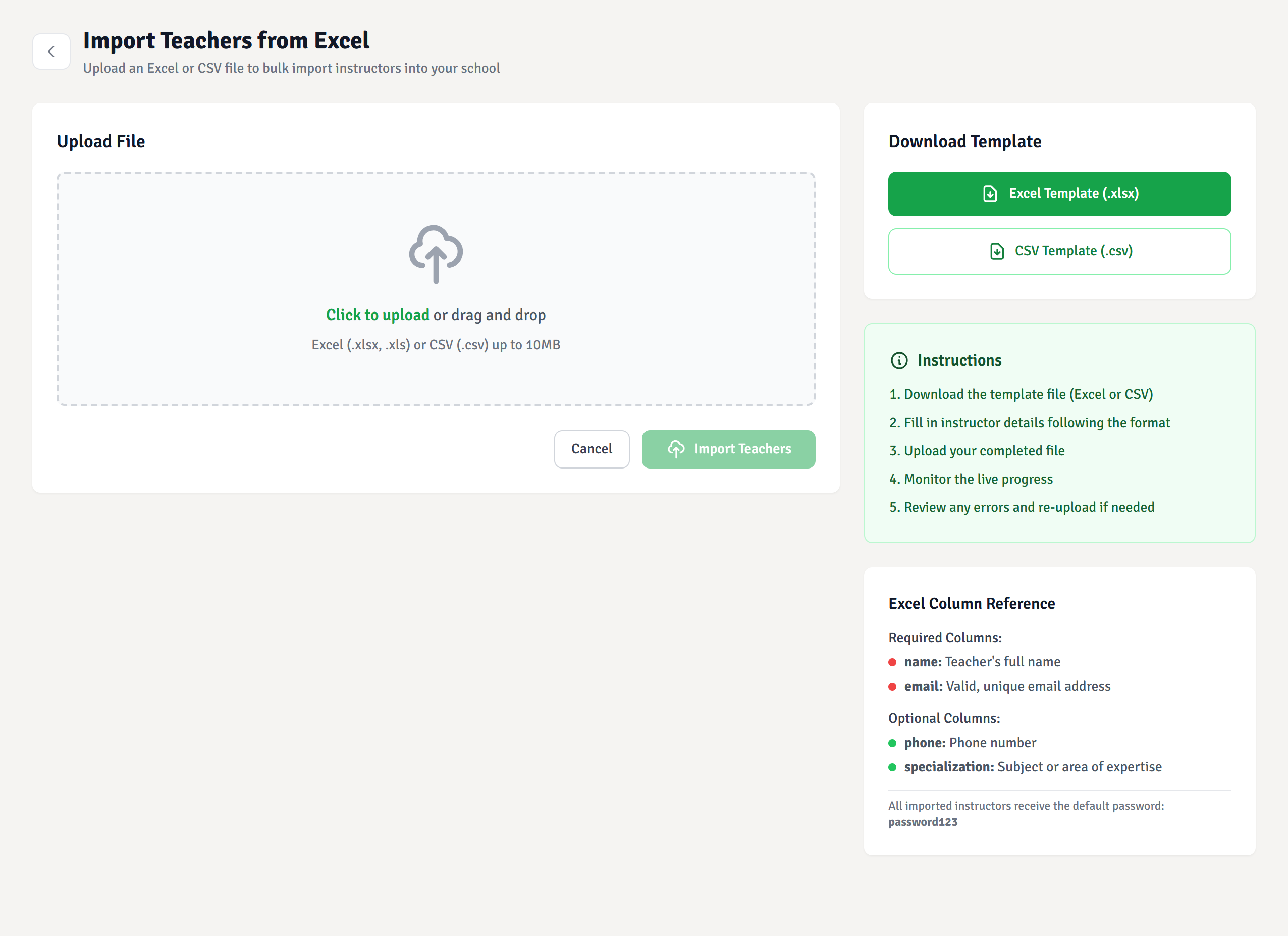
Import instructors
- Click Import and download the current template.
- Keep its headings and put one person on each row.
- Fill in the required name and email values. Use the optional fields included in the template.
- Upload the supported Excel or CSV file and start the import.
- Review the progress and summary. Correct failed rows and import those rows again.
Imported instructors start with the default password password123. Arrange a password change after their first sign-in.
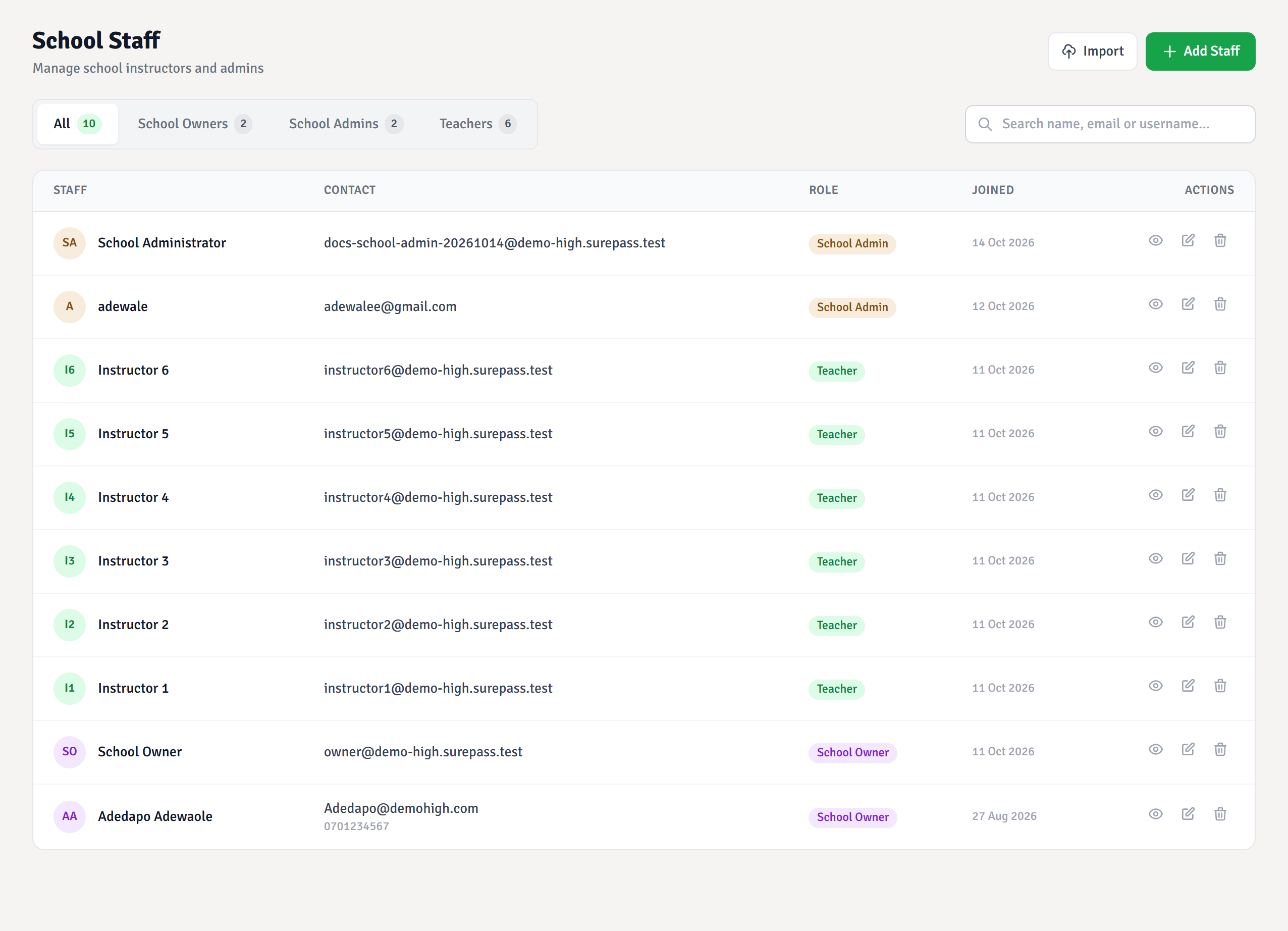
Review accounts and assignments
Use View to open a staff profile and check their assessment activity. Use Edit for the details and assignments the school can change. Use Reset Password when a staff member cannot sign in.
Review instructor class-section assignments whenever teaching responsibilities change. With Scope Teacher to Class enabled, these assignments affect the classes the instructor can use.
SMS-managed profiles show Managed by Academium. Change source details in SMS and refresh them rather than creating a duplicate staff account.
Common questions
Why can I only choose Instructor? A School Admin can create instructors. Ask the School Owner to create another admin or owner.
Why does an instructor have no class choices? Check their assignments and the school’s class-scope setting.
Why is an email rejected? Check whether it already belongs to another account. Reset or update the intended existing account rather than adding another account for the same person.