Preparing for a new term
Finish and check the current term before changing the school’s active academic period.
Finish the current term
- Review the test and exam schedules still in use.
- Finish all pending theory marking.
- Check each class and subject in Student Results.
- Resolve repeated-attempt conflicts and confirm the official scores.
- Export or print the reports the school needs.
- For a connected school, send checked scores to Academium SMS and review the outcome there.
Follow Checking results before reporting.
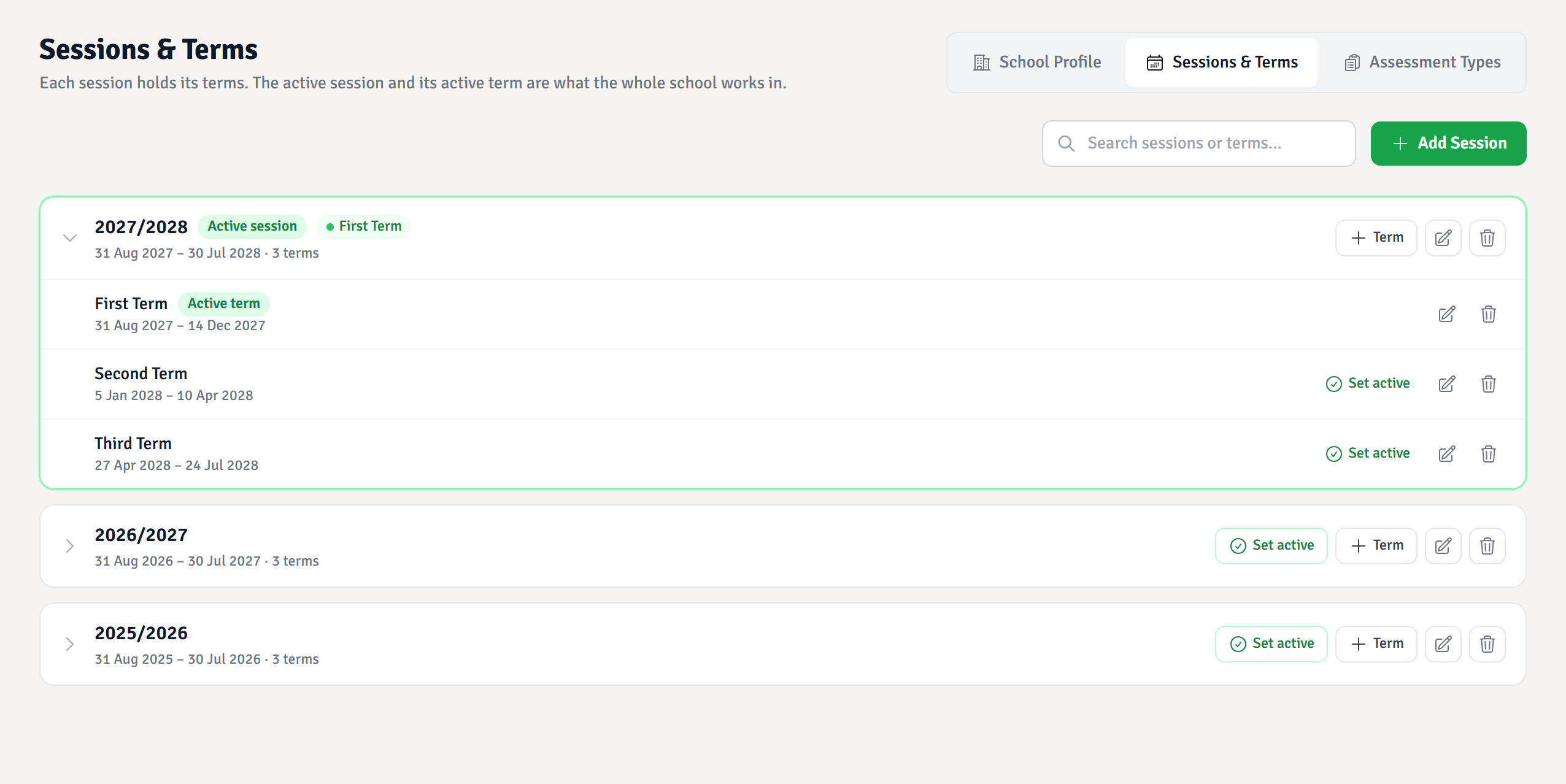
Confirm the new academic period
For a school managed directly in Surepass, open School Settings → Sessions & Terms. Open the intended session and make the new term current. Confirm the active session and term shown on the page.
For an SMS-managed school, make the change in SMS and refresh Session & Terms in Surepass.
The period selected in the header helps you view records from a period. It does not replace the school’s active-term setup used for new papers.
Review class and student records
Confirm the current classes, sections, and instructor assignments. Update student placement deliberately; do not assume that activating a term moves students into a new class.
When students or classes are managed by SMS, complete their changes there and use the appropriate Surepass import or sync.
Prepare new papers
Review subjects and assessment types, then create papers for the new active term. If used questions are archived automatically, check the available bank before building the next paper.
Keep completed records for reference. Do not delete past papers, schedules, or student accounts merely to make the new-term lists shorter.
Final check
Open a small new-term paper and confirm its subject, class, assessment type, and term. Check the lab layout and devices before the first sitting.