Setting up the Library
Open Library → Setup before recording library work. Its tabs bring together locations, shelves, categories, suppliers, lending rules and fines.
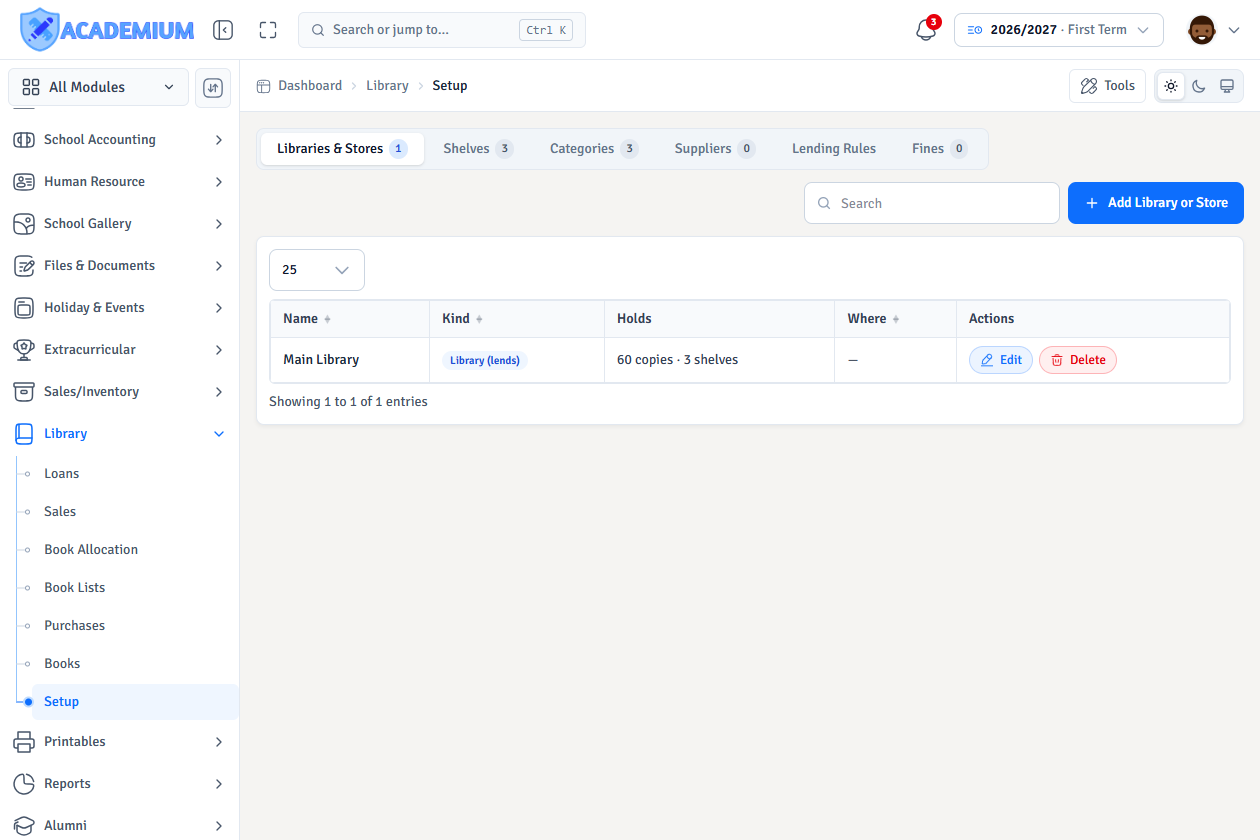
Libraries, stores and shelves
Add a library for lending copies and a store for books sold to students or other buyers. Give each location a clear name. Add shelves to organise lending books and categories to make the catalogue easier to filter.
Add suppliers before entering their purchases. Use the same supplier record for later bills so its purchase history stays together.
Lending rules
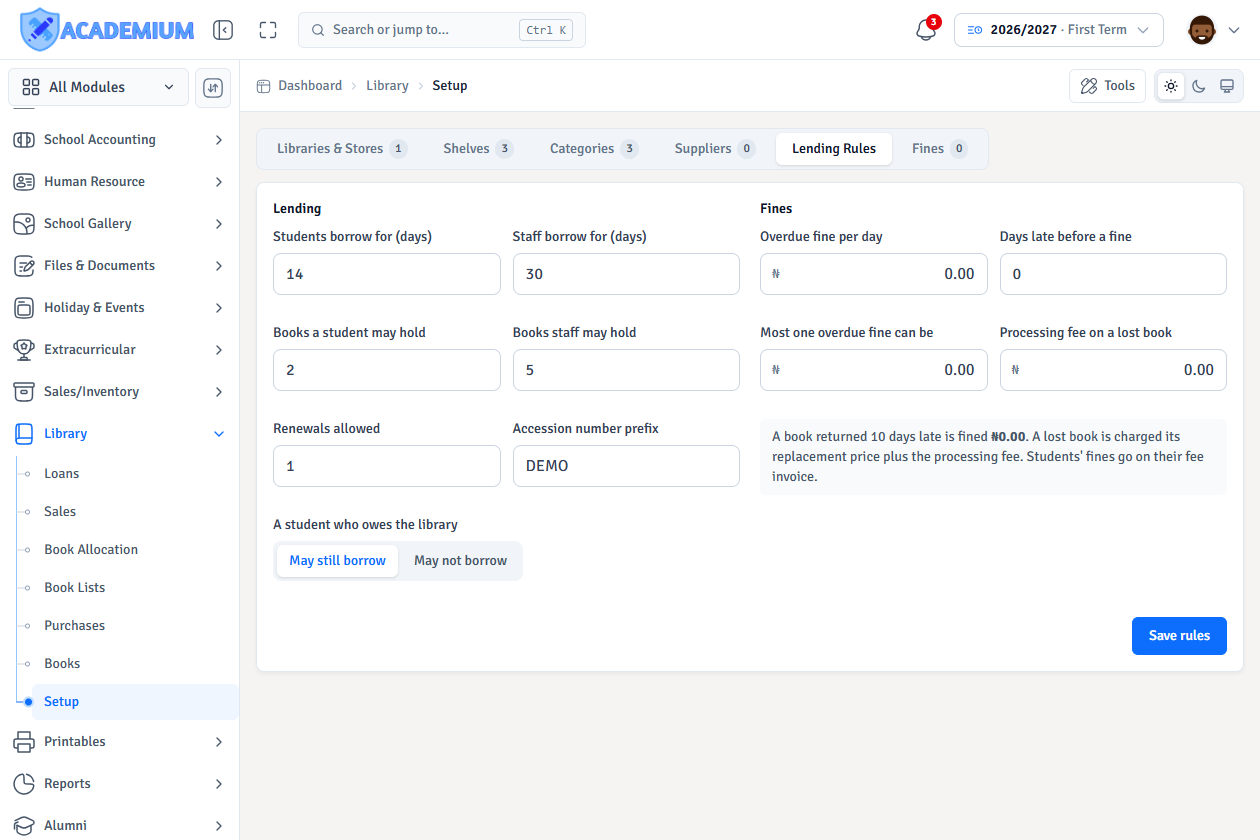
Review the rules for students and staff separately. Set the borrowing period, maximum number of books and permitted renewals. Check the grace period and fine rate, and the processing charge used for lost books.
Agree these rules with the school before issuing books. Make sure catalogue replacement prices are sensible before charging for a lost copy.
Fine management
The Fines tab is part of Setup. Use it to review charges and, with permission, waive a fine or receive a staff payment. Student fines are collected through the student's fee account.
A paid charge cannot simply be removed to rewrite its history. Check the payment and the appropriate correction process first.
Before first use
Add titles and opening copies or stock under Books. Test a small lending transaction and check its due date before using the rules for a whole class.
A book cannot be issued. A title needs an available lending copy in a library. A store's sale quantity is not a lending copy.
Works with other parts of SMS
- Fines your rules charge reach the student’s fee invoice.