Getting started with the Library
Library keeps track of books the school lends, books it sells, and the copies or stock it receives. Your plan must include Library, the module must be enabled for the branch, and your role needs the relevant permissions.
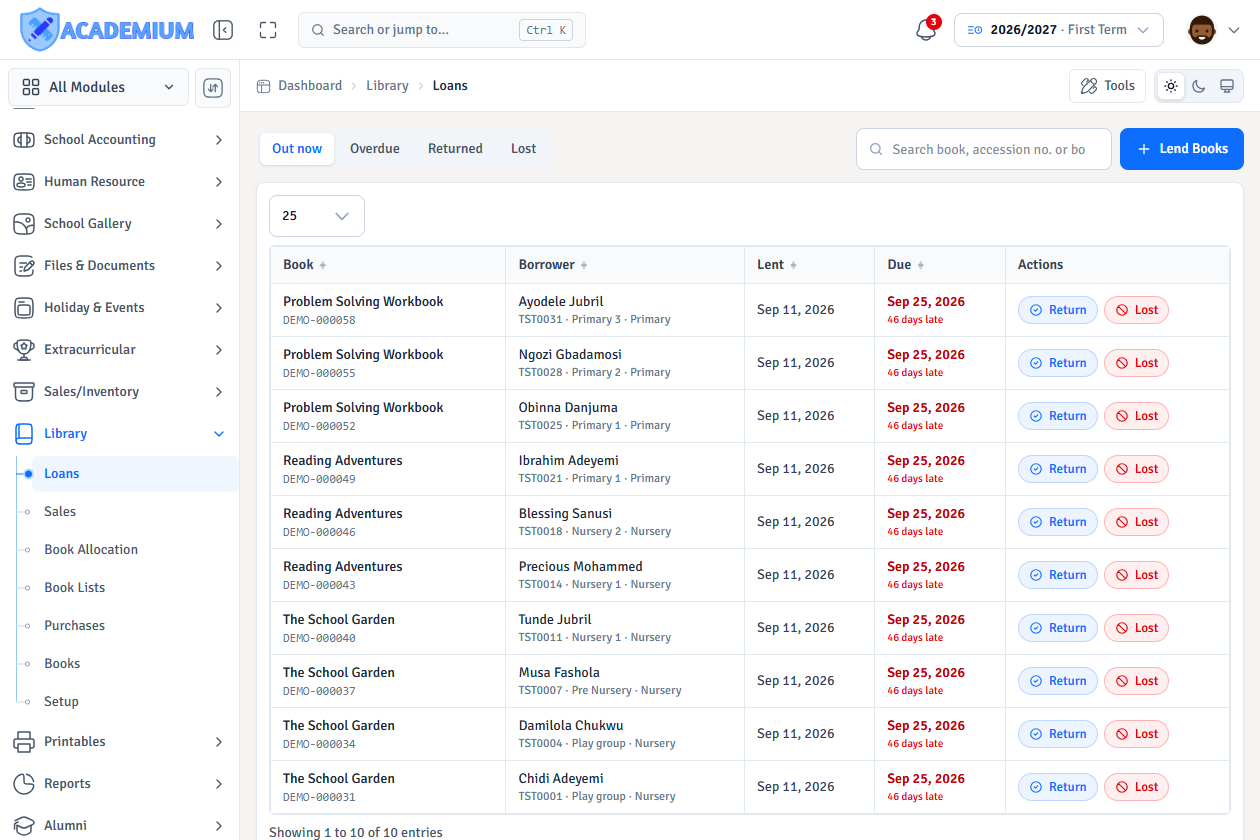
Set up in this order
- Open Library → Setup and add libraries or stores, shelves, categories and suppliers.
- Set the lending rules for students and staff.
- Add titles under Books.
- Record existing copies or stock, or receive a purchase.
- Start lending, selling or allocating book lists.
Understand the book records
A title is the catalogue entry: its name, author, ISBN and prices. A copy is one physical lending book, with its own accession number and condition. Store stock is the quantity available for sale. Adding a title alone does not give you a copy to lend or stock to hand over.
A library holds lending copies; a store holds sale stock. Keep them separate so lending and selling do not consume the wrong books.
Daily work
| Task | Where to go |
|---|---|
| Lend, return, renew or record a lost book | Loans |
| Bill a buyer and hand over sale stock | Sales |
| Charge selected students for a class book list | Book Allocation |
| Prepare reusable class lists | Book Lists |
| Receive books from a supplier | Purchases |
| Add titles and inspect copies or stock | Books |
| Manage locations, rules and fines | Setup |
| Review stock, overdue loans, sales, fines and purchases | Reports → Library |
Give library staff only the permissions they need. The Librarian role provides a starting point; the school administrator can review it in staff role settings.
Library is missing. Ask the owner to check the plan, branch modules and your role. Another employee having access does not mean your account has the same permissions.
Works with other parts of SMS
- Library sales and fines are billed through student fees, not a separate till.