Library books, copies and stock
Open Library → Books to maintain the catalogue and inspect copies or stock.
Add a title
Enter its title and the available author, ISBN, publisher, edition, publication year, category and class details. Choose whether the book may be lent, sold or both. Set its sale price and replacement price where applicable.
Check for an existing title before adding another edition or duplicate. Prices on later sales come from the catalogue, so correct them here before creating a bill.
Lending copies
Open a title to add or inspect physical copies. Each copy has a unique accession number, location, shelf, condition and availability. Use that accession number when lending or returning the copy.
Record opening copies that the school already owns. For new deliveries, Purchases records how they arrived.
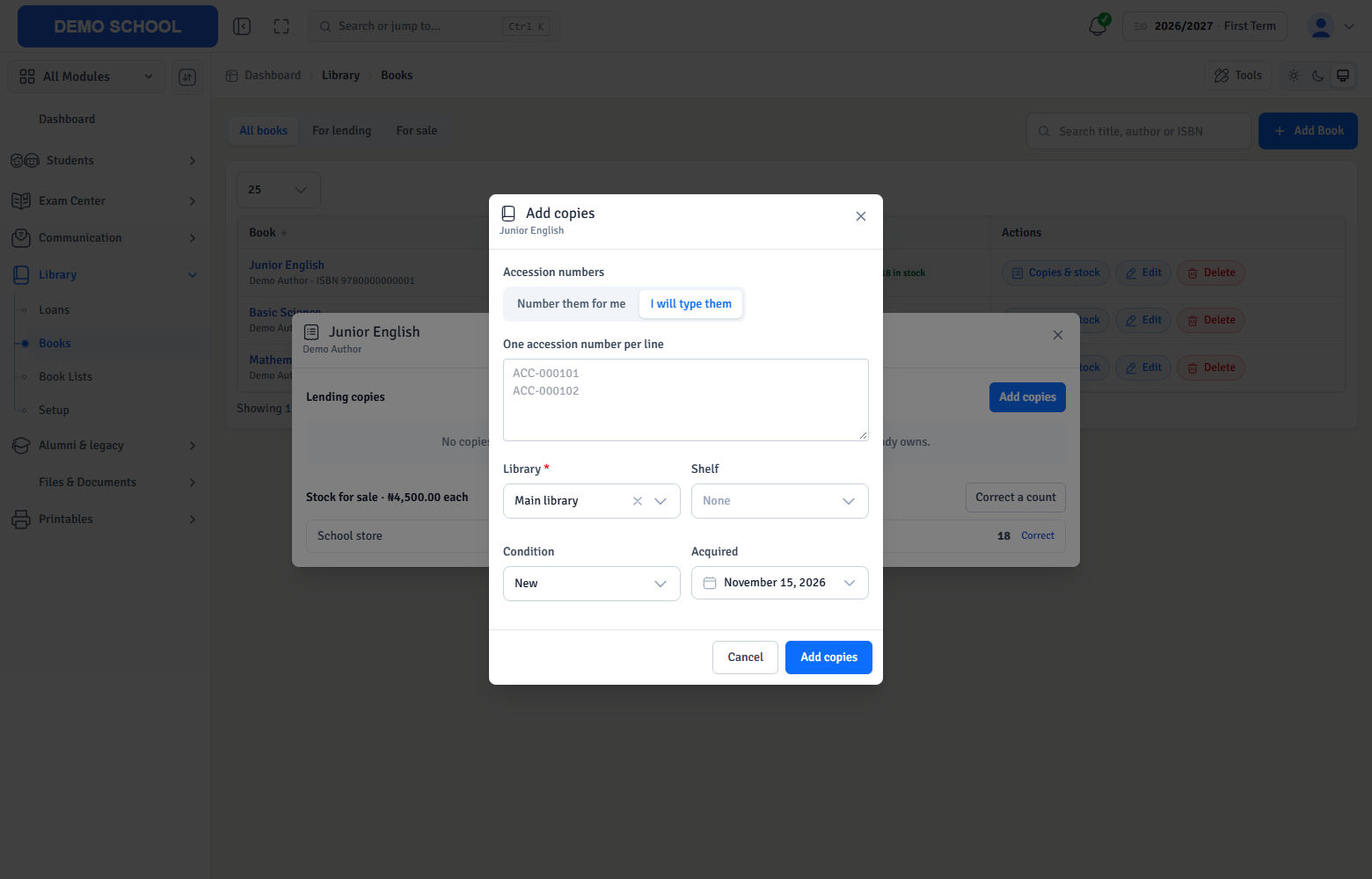
In Add copies, choose Number them for me to generate accession numbers, or I will type them to keep your existing numbers. For existing numbers, enter one per line. Each copy needs a distinct number; a number already used in the branch is refused.
Choose the library, shelf and condition before saving. Add between one and five hundred copies in one action. Lending copies belong in a library, not in a store's sale-stock count.
Sale stock
Check the quantity in the intended store. Opening quantities or authorised stock adjustments are separate from catalogue details. A sale bill does not reduce stock until the books are marked Given.
Works with other parts of SMS
- New stock arrives through library purchases.
Common problems
The title exists but cannot be lent. Check that it is lendable and has an available physical copy.
The title cannot be handed over after a sale. Check its sellable setting and the selected store's quantity. A book-list allocation can be saved before all stock arrives, but handing books over still requires stock.
The wrong copy was selected. Check the accession number, rather than relying only on the title; several copies can have the same title.