Lending and returning books
Open Library → Loans for books borrowed by students or staff. The list separates books out now, overdue books, returns and lost books.
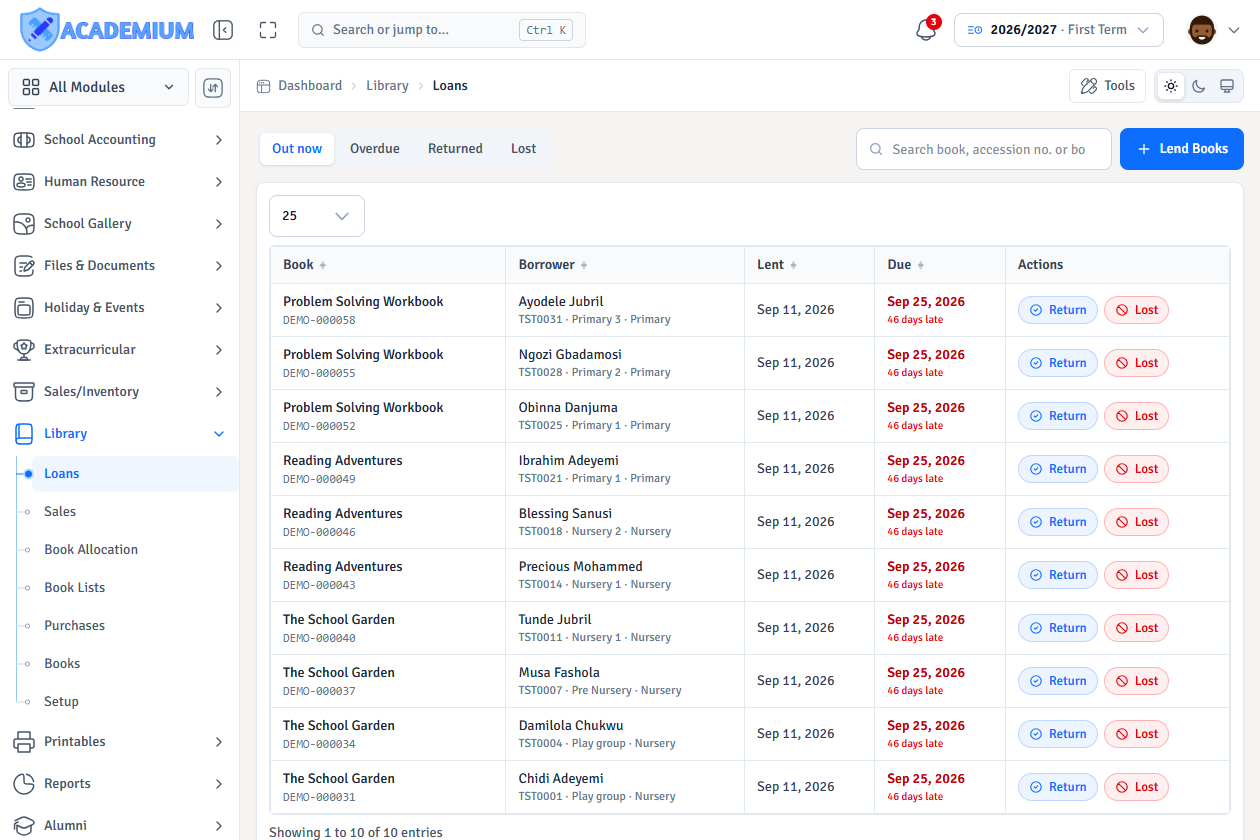
Lend books
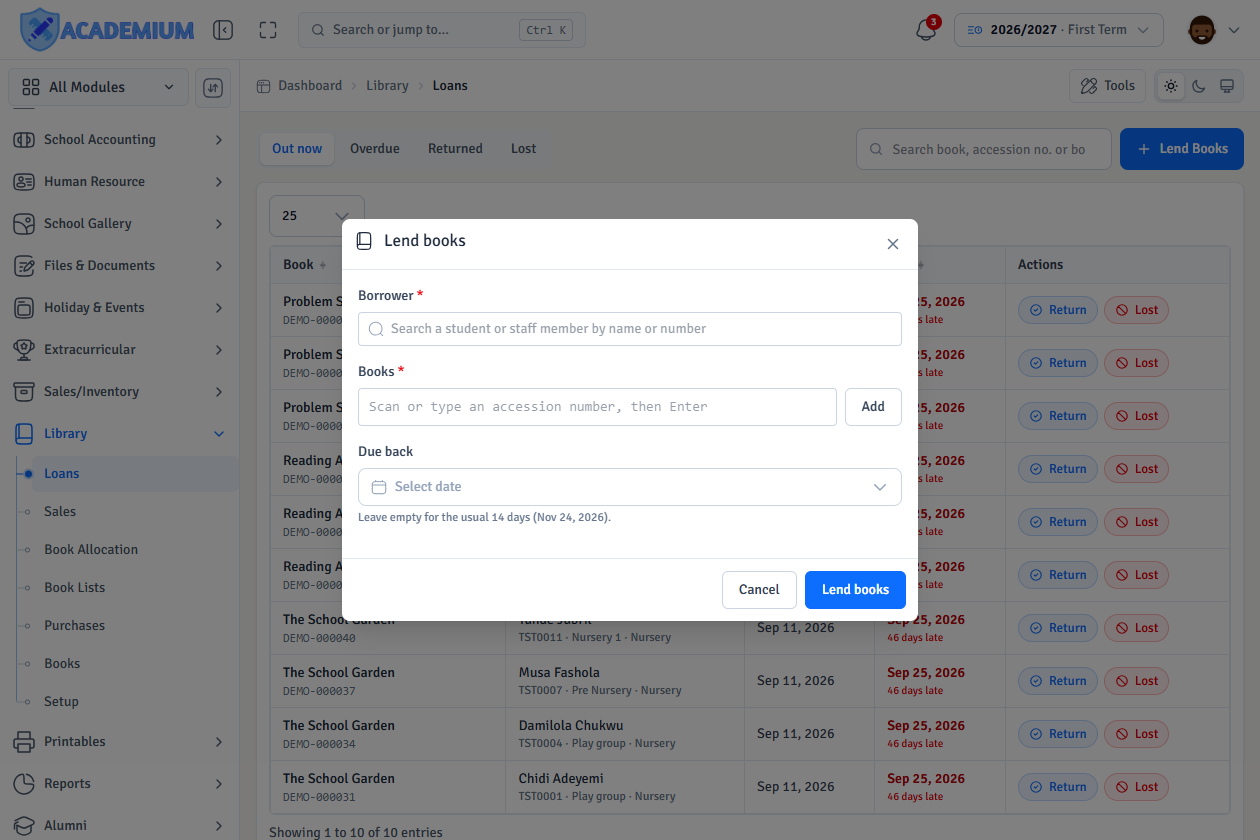
- Choose Lend Books and select the student or staff borrower.
- Scan or type a copy's accession number and confirm it. Add further copies if needed.
- Check the borrower, selected copies and due date.
- Save the loan.
Only available copies of lendable books can be issued. Borrowing limits and lending rules apply to the borrower.
Return a copy
Find the loan and choose its return action. Record the actual condition: new, good, worn or damaged. Review any overdue fine and, for damage, the applicable charge before confirming. A permitted waiver is different from recording a payment.
Student charges go to the student's fee account. Staff payments can be handled from the library's fine management. See Library fines.
Renew
Use Renew on an eligible open loan. Check its new due date. Overdue loans cannot be renewed, and the configured renewal limit still applies.
Follow up overdue books
Use the Overdue list or Reports → Library to identify borrowers and due dates. Record a return when the book is actually received; do not renew or return it simply to make an overdue list shorter.
A scan finds no available copy. Check that you entered its accession number, that it belongs to a library and that it is not already on loan or lost.
Works with other parts of SMS
- Overdue, lost or damaged books can be charged to the student’s fees; see Library fines and lost books.