Taking the student register
Take your class register each school day from Attendance → Student.
Taking the register
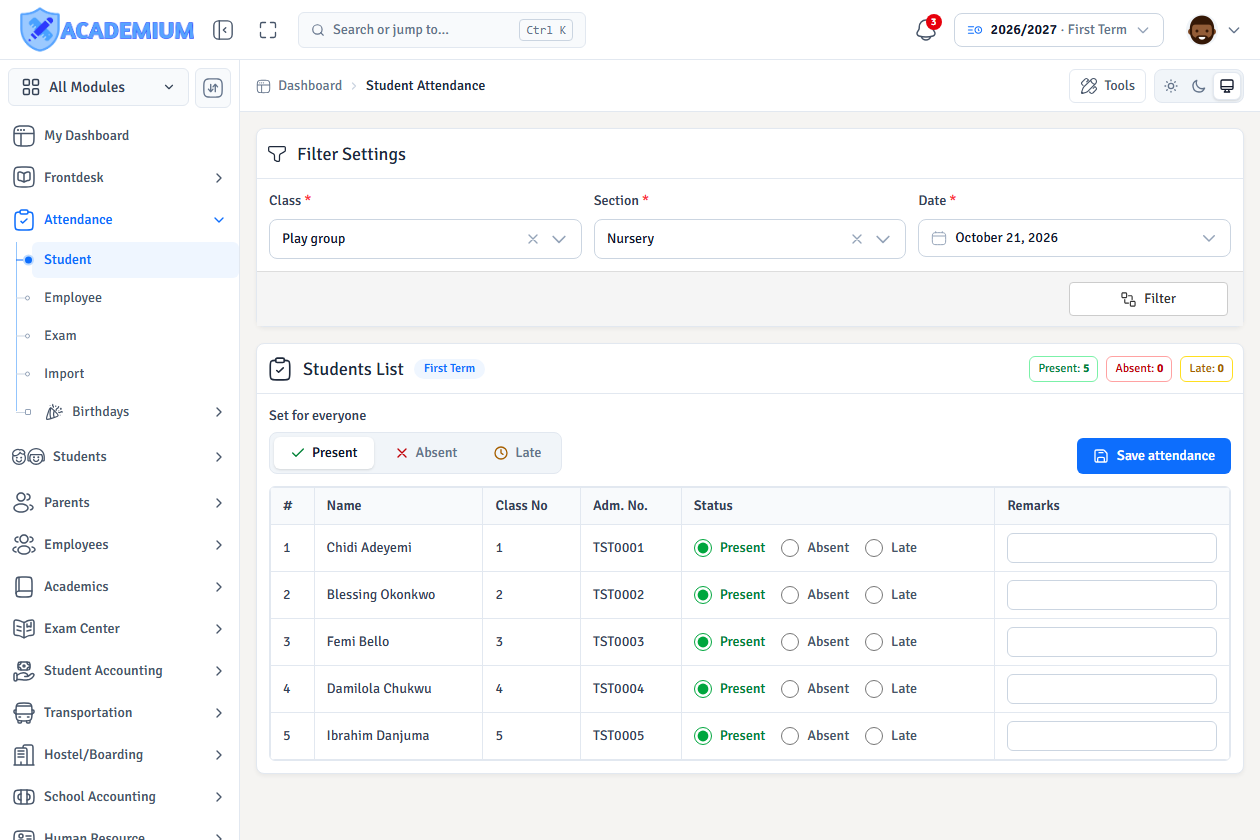
- Choose the class, section and date. The date picker marks days already taken.
- In a new register, Present is selected automatically in Set for everyone, and students without a saved mark start as Present.
- Change the exceptions to Absent, Late, or Half day if your school offers it. Add remarks where needed.
- Check the totals, then choose Save.
The marks on screen are a draft until you save. Opening the page does not submit attendance. Marks already saved for a student are kept, including Absent and Late.
Set for everyone
Use the Present, Absent or Late tabs above the list to apply that mark to everyone in the loaded register. Half day appears when available. Then adjust individual students.
A register with mixed marks may have no bulk tab selected. Choosing a tab applies it to everyone, including students with a different mark, so check your exceptions again before saving. You can choose the same tab again to reapply it.
Changing a saved register
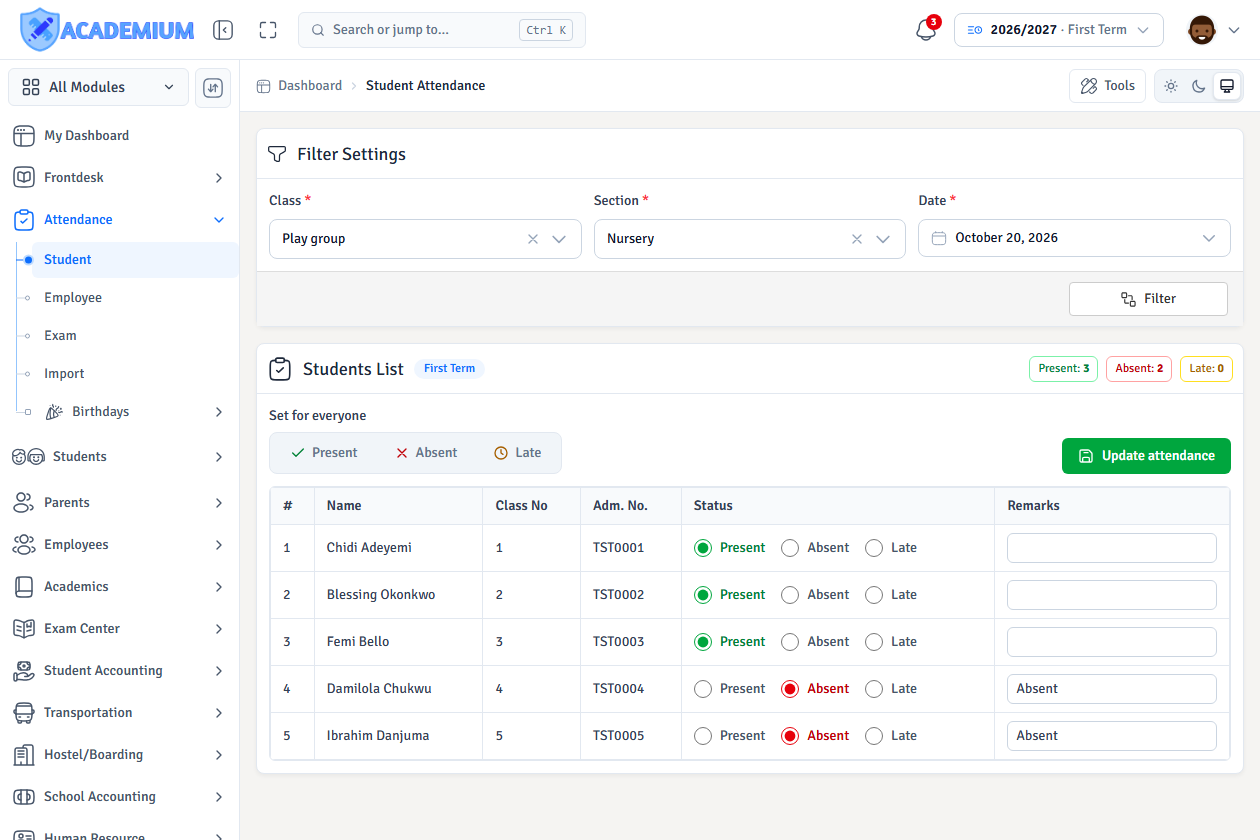
A saved register opens locked. Choose Edit, change the marks or remarks, then choose Update attendance. Opening Edit does not reset existing marks to Present.
How attendance is counted
- Late and half day count as attended.
- Report cards show days present out of days the school was open, as a percentage.
- A default Present mark is only counted in the saved register after you choose Save.
Days you cannot take a register
You cannot choose a future date, a school weekend, a holiday, or a date outside the current term. Your school's weekend settings support schools that open on Saturdays. Check School settings and Sessions and terms.
Checking missing registers
The dashboard's Attendance Compliance panel helps staff follow up on registers that have not been saved. Seeing Present selected in an unsaved register does not clear a missing-register reminder.
Works with other parts of SMS
- Holidays, including public holidays synced from the portal, close the register for those days.
- Attendance totals appear on report cards when the template includes them.
- Parents with the parent portal see the term’s attendance rate and days absent.
- Catch Up shows classes without a register on a school day.
- Attendance figures go into student records prepared for another school.