Holidays and events
The school calendar brings holidays and events together. Holidays matter: Academium closes attendance registers on them and leaves them out of attendance totals. Open Holiday & Events. Holidays and events are available in Free mode; your role still needs the relevant permissions.
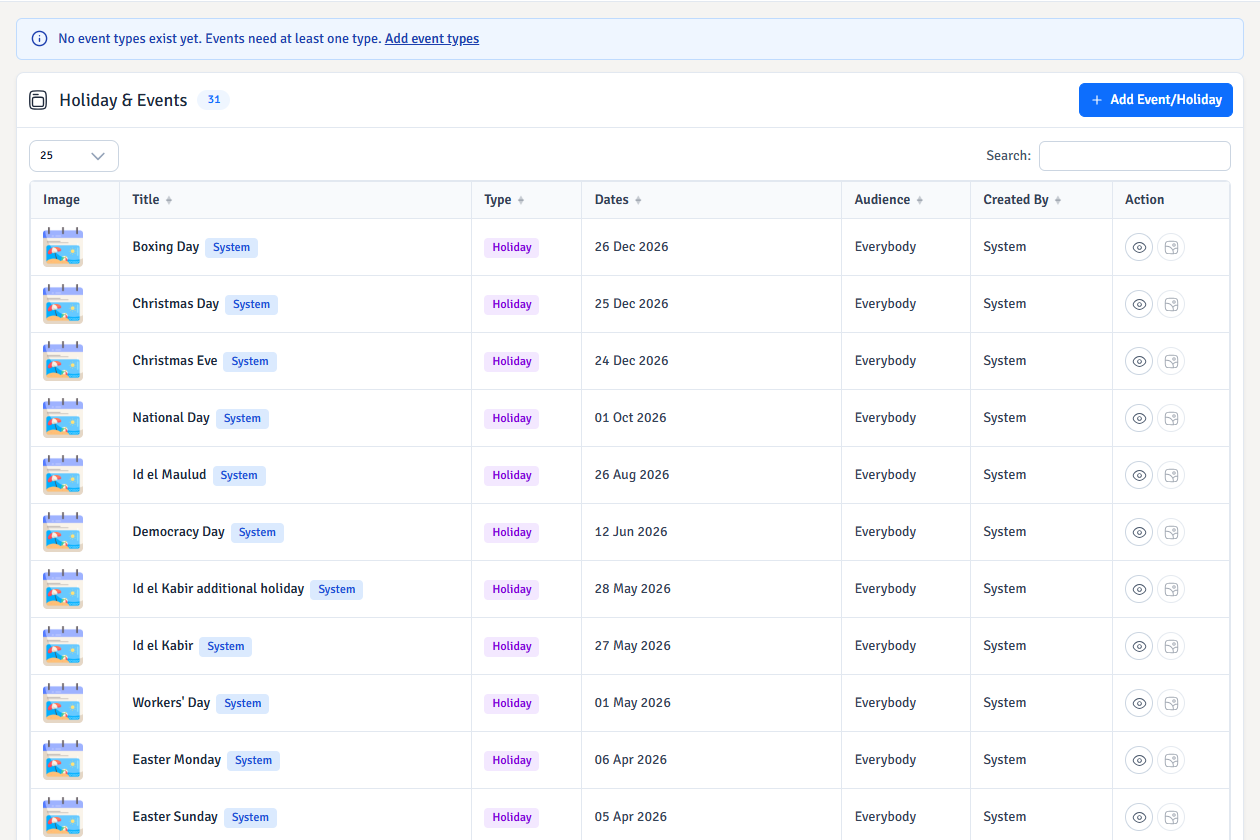
Public holidays
Public holidays are added automatically when Academium syncs, and the page shows when holidays were last updated. These holidays are locked: they cannot be edited or deleted.
Adding a holiday or event
- Choose Holiday/Events List and add an entry.
- Enter a title, and choose its type.
- Choose when it starts and ends. The end cannot be before the start.
- Add an image and remarks if you like.
- Choose who it is for: everybody, staff, parents, or selected classes, sections, staff or parents. Holidays are always for everybody.
- Save.
Turn an event off to hide it without deleting it.
Event types
Open Event Type to add your own types, such as Sports Day or PTA Meeting, each with an icon.
On the dashboard
The calendar panel shows what is coming up, as a list or a month view. Each person chooses which view they prefer.
Holiday reminders
Staff receive a reminder notification before a holiday. On a Friday, the reminder covers Saturday to Monday.
Common issues
A register cannot be taken on a day that is not a holiday. Check the calendar for a holiday entered on that date by mistake. Holidays you added yourself can be edited or deleted.
Add an event from the dashboard
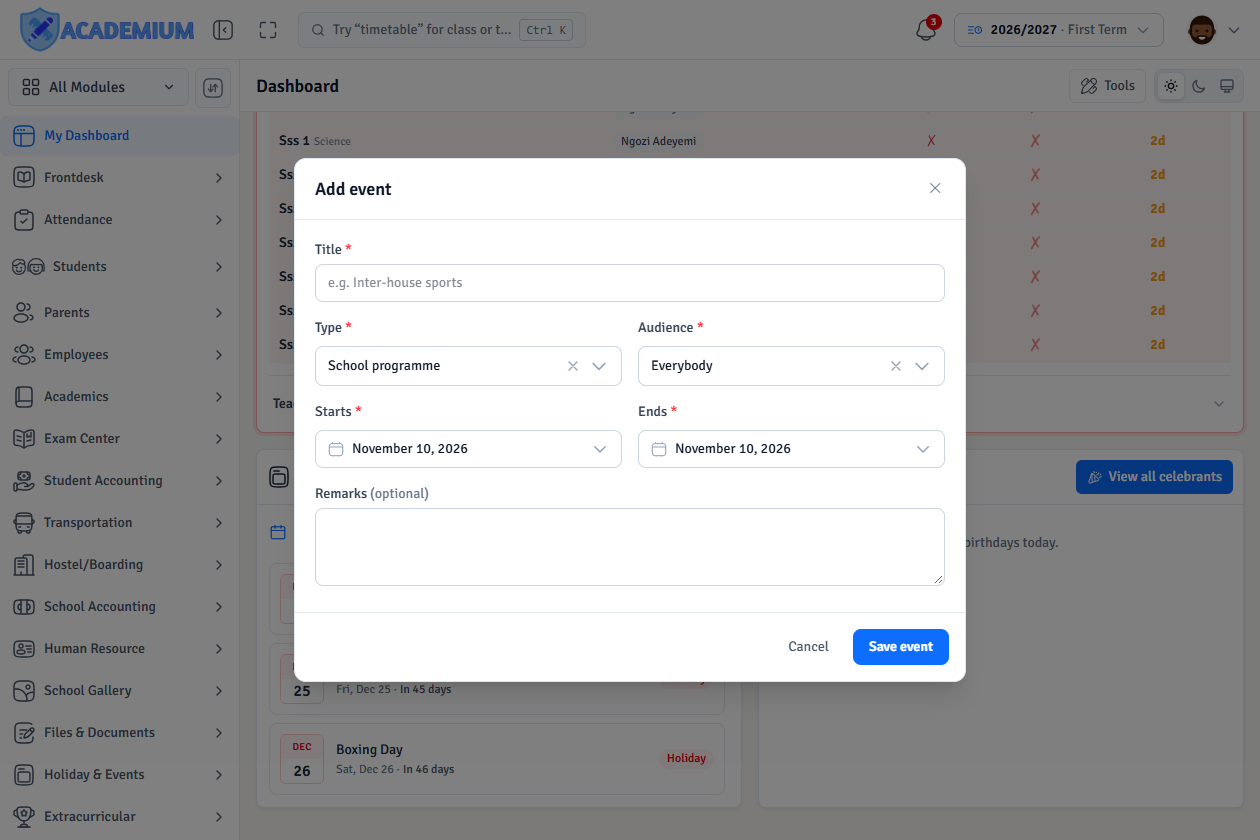
Staff with event-creation permission can use Add event in the Event Calendar header. Complete the form in the window and save it; you do not need to leave the dashboard. Holidays and events are included in Free mode, although staff permissions still control who may add or change them.
Works with other parts of SMS
- Holidays close the register, so attendance on report cards counts only the days school was open.
- Events and holidays meant for parents or a class appear as notices in the parent portal.
- Staff get a notification the working day before each public holiday.
- Exam schedules skip weekends and holidays when generated; see Exam schedule.