Preparing student records
Open Alumni & legacy → Student records to prepare a student's history for a family or another school. This is different from exporting the student list.
The Student records module and the relevant staff permissions must be enabled.
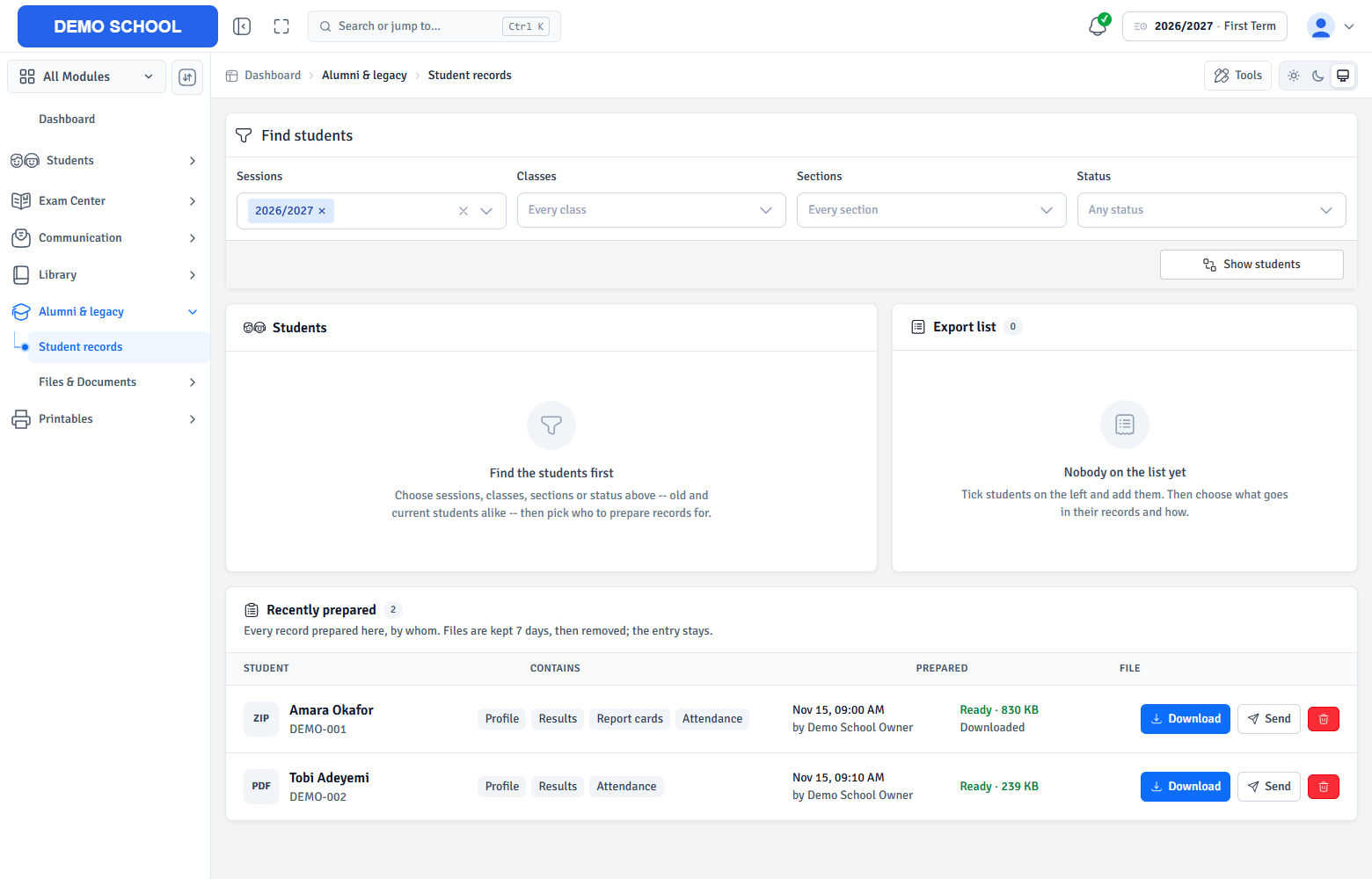
Find the students
- Choose the sessions, classes, sections and statuses to search.
- Find current students, graduates, leavers, transferred students or past students.
- Check each student's name, registration number and class.
- Add one or more students to the export list.
Preparing several students creates a separate record for each student.
Choose the contents and format
Choose the parts that are needed: profile, results, report cards, attendance, fees or purchases.
Fees and purchases are excluded when you do not have permission to see fees. Include only the history the recipient needs.
Choose a format:
| Format | Use |
|---|---|
| Reading or printing the record | |
| Excel | Reviewing the record's data; report-card documents are not embedded |
| Academium ZIP bundle | Passing an importable record to another Academium school |
Choose Prepare and follow the progress. The work also appears in Background tasks, so you can move to another page while the installation continues preparing it.
Find and download a prepared file
Use the prepared-records list to check progress, download finished records or open their sending actions. A failed or unfinished record is not ready to share.
Prepared files are kept for seven days. Download or send them in time. The preparation history remains after the file is removed; prepare a new file if one is needed later.
Deleting a prepared file does not delete the student's school history.
Works with other parts of SMS
- Records include attendance from the registers and results from the exam centre; fees are left out for staff without fee access.
- Preparation runs as a background task.
Common problems
The student does not appear. Review the session and status filters. The student must have an enrolment at this branch.
Fees or purchases are absent. Check your fee permission and the parts selected for that export.
Another school cannot import our PDF or spreadsheet. Prepare and send the original Academium ZIP bundle. See Importing a previous school's record.
The file has expired or was removed. Prepare the record again before downloading or sending it.