Importing a previous school's record
An Academium school can pass a student's record to another school as an Academium ZIP bundle. Use the original ZIP rather than unpacking or changing it.
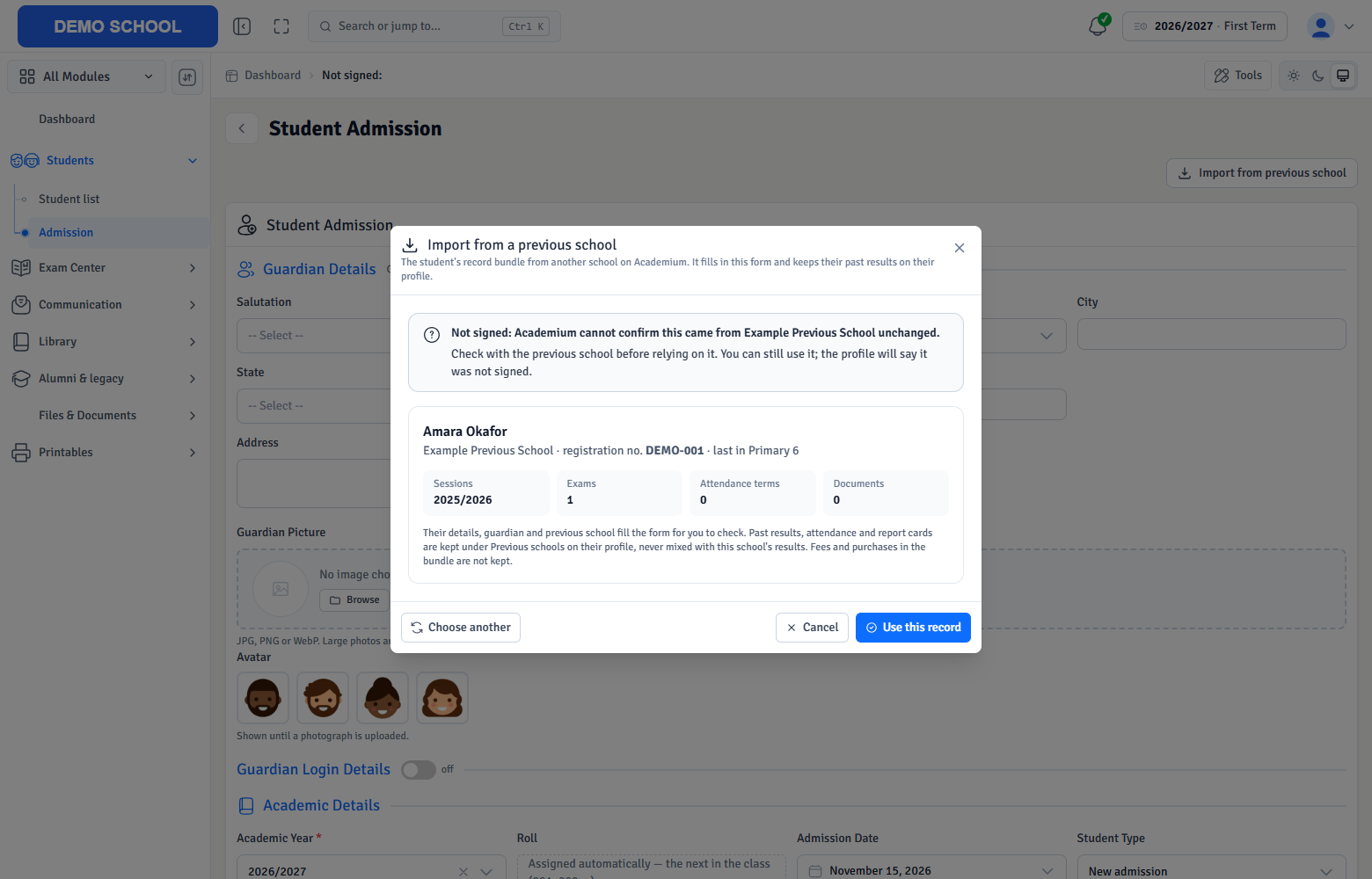
Review the bundle during admission
- Open the student admission form.
- Choose its record-import action and select the ZIP from the previous school.
- Review the issuing school, student, registration number, years and included history.
- Read the verification result and any warnings.
- Use the reviewed details to fill the admission form.
- Check the details for your school, choose the student's placement and save the admission.
Importing does not finish admission automatically.
Understand the verification result
- Verified: the bundle passed the available issuer and file checks.
- Unsigned: it does not carry a verified Academium signature.
- Altered: a file or the bundle's contents did not match the expected checks.
Verification is not a substitute for checking the student's identity or reviewing the history. Ask the sending school for an unchanged original when a warning needs resolving.
Previous schools on the profile
On saving the admission, the previous school's academic history is kept separately in Previous schools on the student's profile. It does not replace this school's results or turn old results into marks for your current exams.
The previous school's fees and purchases are not imported into this school's accounts.
Works with other parts of SMS
- Imported during admission; the previous school’s history is kept on the student’s profile.
Common problems
The file is rejected. Check that it is an Academium student-record ZIP, rather than a PDF, Excel file or a ZIP assembled by hand. The supported upload limit is 512 MB.
The bundle needs a newer app. Update SMS, then try the original bundle again.
A previous-school document has not reached this computer. Let file sync from the school server complete. Without a school server, previous-school archive files remain on the computer that imported them.
The imported details are not right for this admission. Review and correct the admission form before saving; importing is a starting point, not an instruction to accept every detail.