Matching families during an import
Family recommendations helps you avoid creating another parent record for a family already at the school. It is an optional part of the student import preview.
Compare the uploaded student
- Open Family recommendations.
- Search for the student or filter the recommendation list.
- Select a student. Check their full record, source row and class, alongside the uploaded guardian's details.
- Compare the proposed existing families. Match indicators show which available details agree, differ or are missing, including family name, phone and email.
If the guardian contact details already identify an existing parent, Academium may resolve that family without a namesake recommendation.
A matching name is only a clue. Different families can share a surname, and one family may use different phone numbers or email addresses.
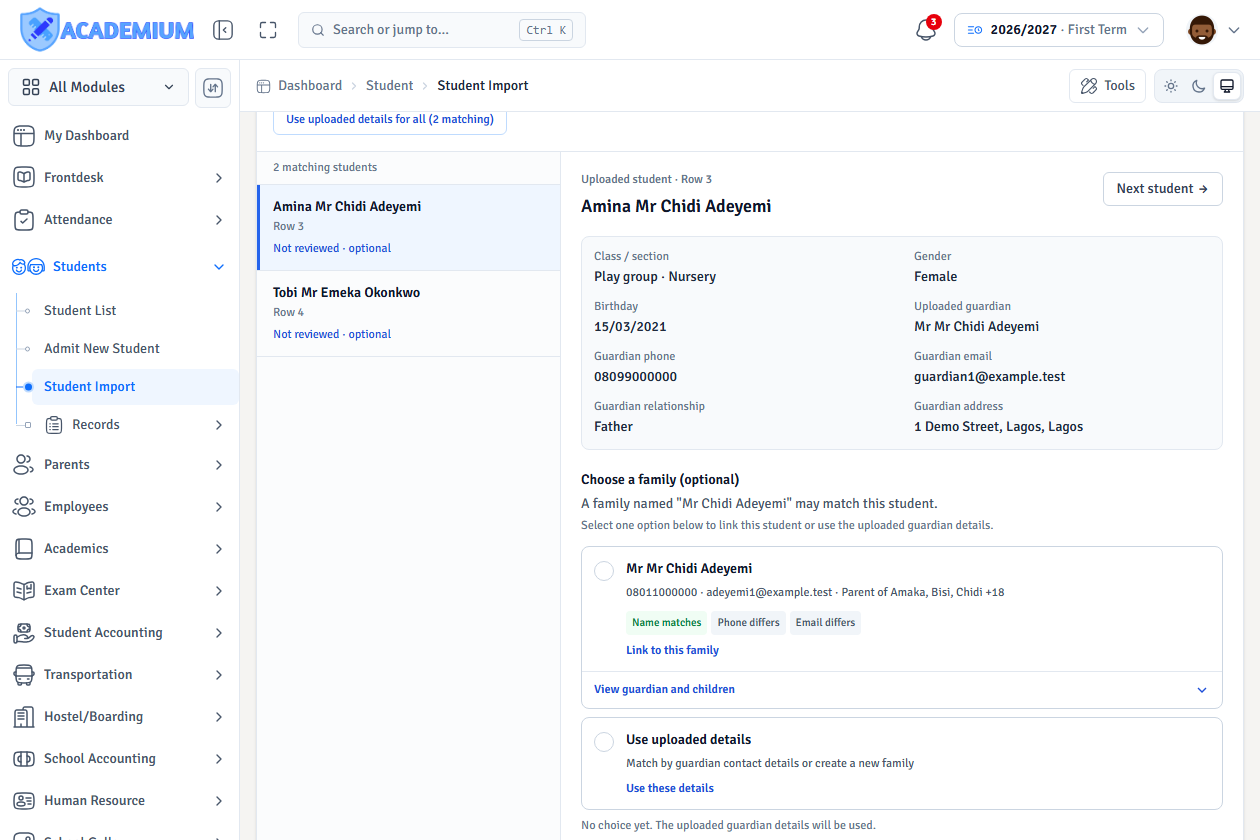
View an existing family
Expand a family's details to see the guardian's information and the children already linked to them. Check those children as well as the contact details. Opening the details does not select the family.
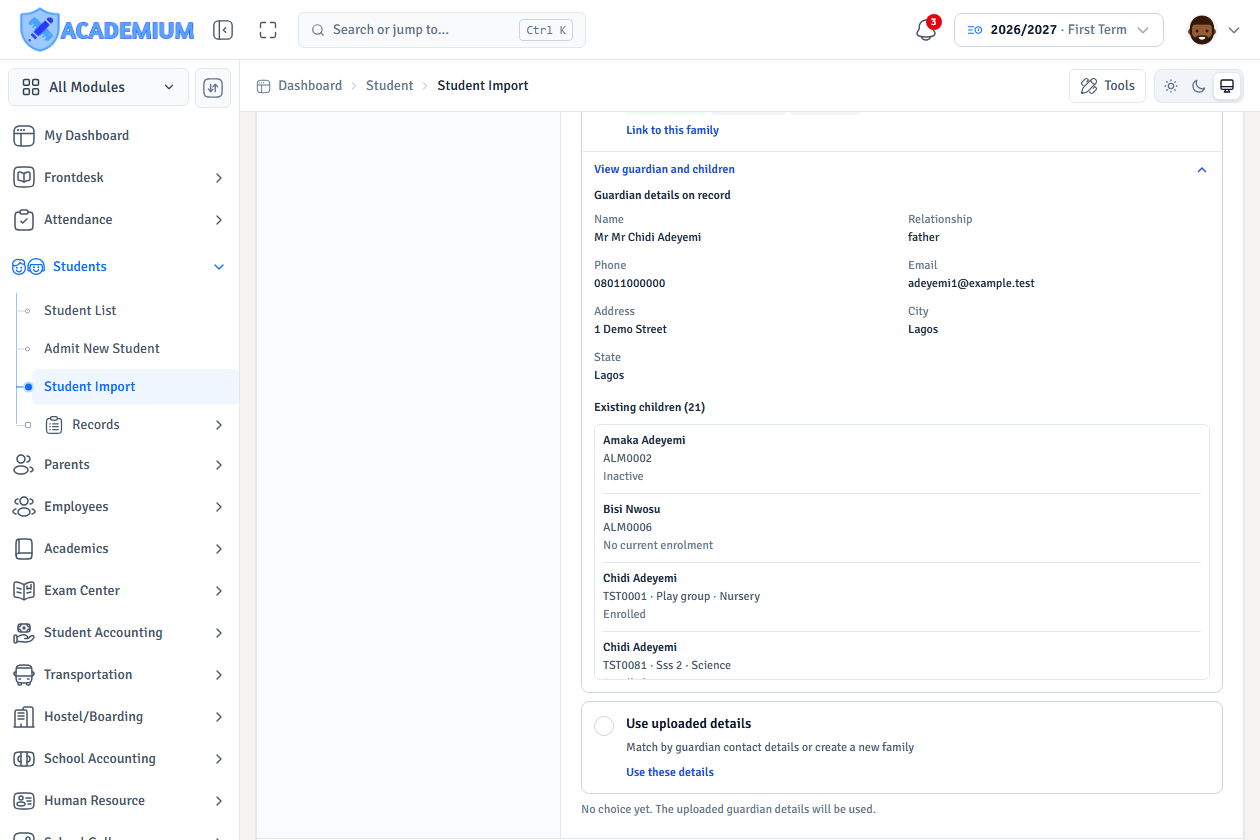
Choose what to use
- Select an existing family to link the imported student to that parent record.
- Select Use uploaded details to use the guardian information in your file. Normal contact matching can still find an existing parent; otherwise a parent record is created.
The selected card has a radio marker and a Selected label. You can change the choice before importing. The choice affects the imported student's family link; it does not edit the existing family's details.
You can also choose Use uploaded details for all for unanswered recommendations in the current filtered set. The count shows how many are affected. Existing choices are kept.
Do I have to answer every recommendation?
No. Unanswered recommendations use the uploaded guardian details and do not block import. Check the With problems tab for fields that actually need correcting.
If you later discover that a saved student has the wrong parent, use Changing a student's parent from their profile.
Works with other parts of SMS
- Matching connects children to the parent whose wallet, family fees and portal access they share.