Sharing results and lookup details
After a publication completes, families use the school's Results page. They do not need an SMS staff account.
Prepare the lookup details
From the published exam, open the lookup-list actions. Narrow the list to a class or section when needed.
You can export the lookup information as CSV or Excel, or use the print preview for a list or individual lookup slips. The list carries the registration numbers and the access codes where those are required.
Give each family only the lookup details intended for them. Check the current results-page address before printing or sending the information.
What a family does
- Open the school's current results-page address.
- Enter the child's registration number.
- Enter the access code if the page asks for one.
- Open the available result.
- Download the report card if downloads are enabled and an allowance remains.
Parents do not need to sign in to SMS for this lookup. If your school has the parent portal, parents who sign in there also see the report cards you have published. See The parent portal.
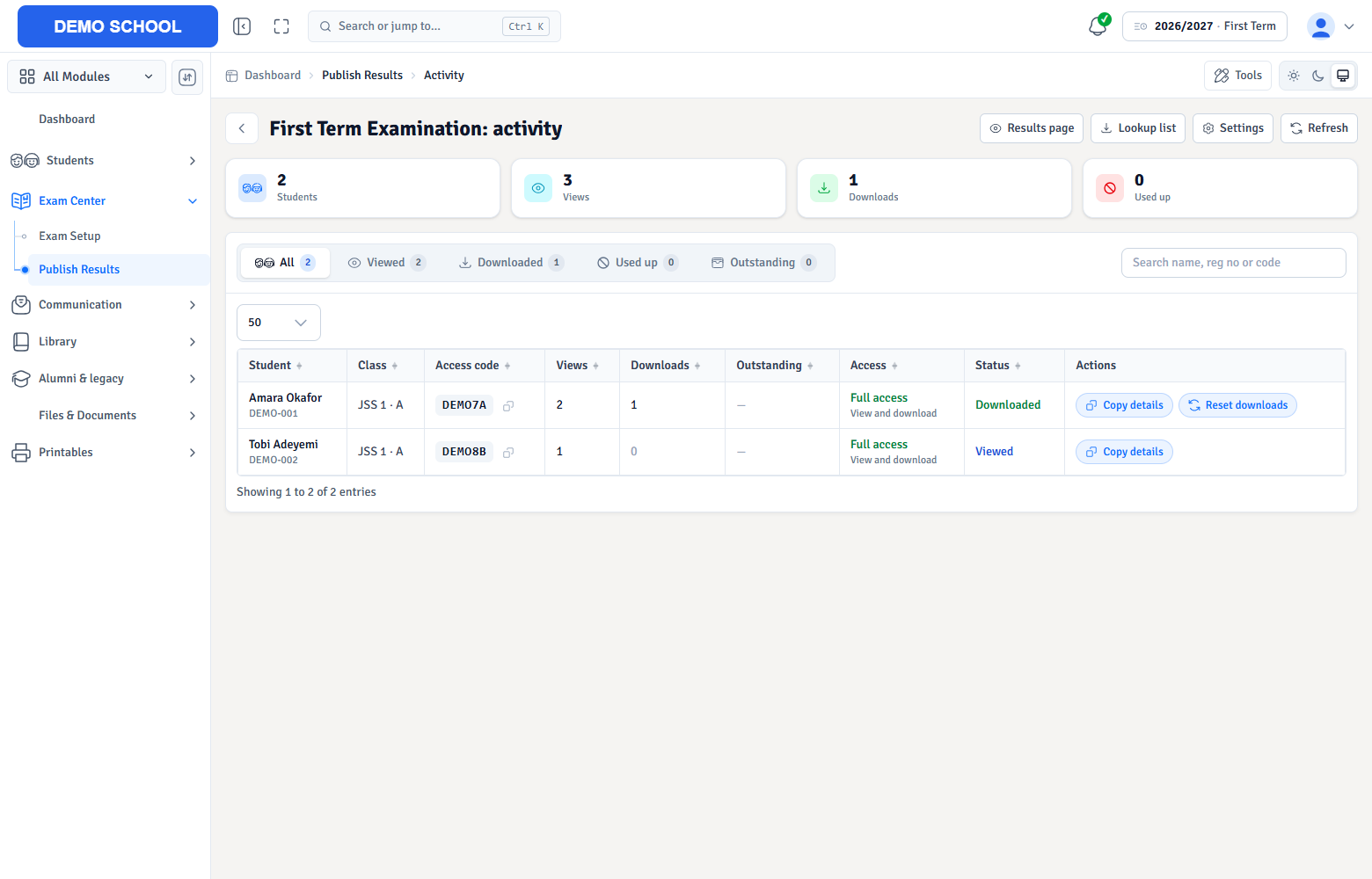
Check Activity
Use Activity on the exam to review views, downloads and the published state. Fee amounts are only shown to staff who have the required fee access.
If a report card has been removed after its download allowance was used, an authorised staff member can Renew it from Activity. Wait for renewal to complete before asking the family to try again.
Common questions
A family cannot download. Check that downloads are enabled, the allowance has not been exhausted, the card is available and the fee rule is not withholding the result.
The registration number does not find the expected result. Check the child, published exam, current page address and access-code setting. Staff should check Activity rather than publish the same exam again without reviewing its state.
The school changed its results-page address. Send the new address. The old one stops working after a change.
See Result access and fee rules for the settings behind these checks.
Works with other parts of SMS
- Send each result link to parents by WhatsApp, or let them see published results in the parent portal.
- The results page can use your school’s own domain; see Domain and website.