The School Owner's dashboard
The School Owner's dashboard shows the whole school at a glance. The first time you open it, Academium offers to show you around. You can take the tour again later from the dashboard.
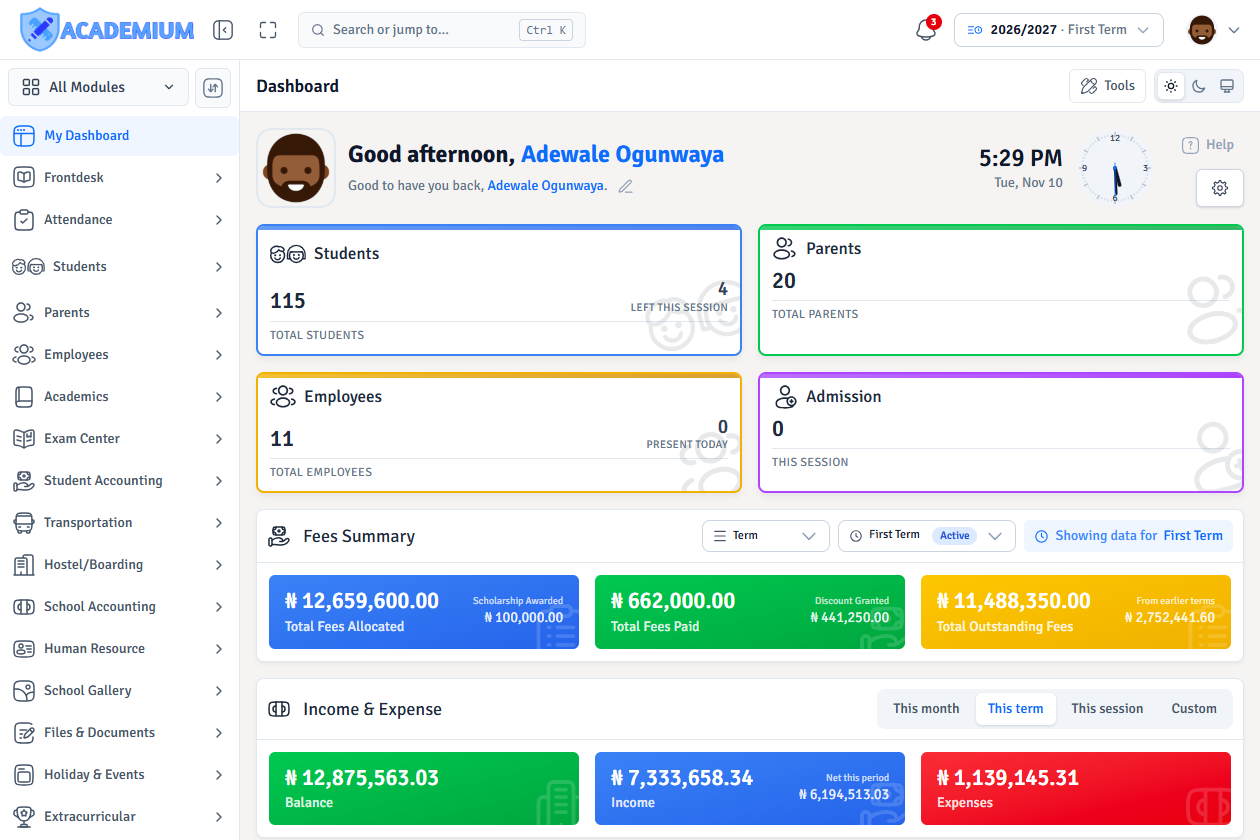
The panels
| Panel | Shows |
|---|---|
| User Statistics | How many students, employees and parents the school has, and recent admissions, for this session or the current term |
| Fees Summary | Total fees allocated, paid and outstanding, balances from earlier terms, discounts granted, scholarships awarded, and transport and hostel balances outstanding |
| Income & Expense | Money in and money out, and the net for the period |
| Module Overview | Figures from your school's optional modules, such as total inventory sales |
| Wallet Balances | Family wallet, student pocket-money and combined balances |
| Attendance Compliance | Each class and its class teacher, whether the register was taken each school day, and classes missing registers several days in a row |
| Event Calendar | Upcoming holidays and events, as a list or a month |
| Birthday Celebrants | Students and staff with a birthday today |
| Catch Up | Work that needs your attention. Enabled by default; appears only when there are items to show. |
Panels for modules your school does not use, or your plan does not include, do not appear. Catch Up and Attendance Compliance hide their cards while loading or refreshing and when there is nothing relevant to display. See Attendance Compliance.
Reading the figures
- Check the session, term and period filters on the counters and financial panels before comparing totals. Different panels may be showing different periods.
- Open a linked counter to inspect the underlying list. The list's own class, session and search filters can narrow what appears.
- Fees panels distinguish the chosen period from balances owed from earlier terms.
- Family wallet top-ups are not counted as income. They become income when they pay fees.
Arranging it
Show, hide and reorder the panels, and choose your clock and calendar style. See Arranging your dashboard.
Works with other parts of SMS
- The fees summary shows fees allocated beside total scholarships awarded, and the family wallet panel shows credit families hold.
- Catch Up shows fees collected today and by whom.