Swipe
Swipe is a revision game with two answers per card. Choose the correct side before the timer runs out. Open Swipe from Practice shortcuts or the practice chooser, separately from the four classic Drill modes.
Start a game
Check the subjects and settings offered. A standard game has 20 cards and an eight-second timer per card; the actual run can have fewer eligible questions or use your selected settings.
Swipe needs self-contained two-answer questions. Its pool can be smaller than the library, especially when questions depend on passages, attachments or the original answer choices.
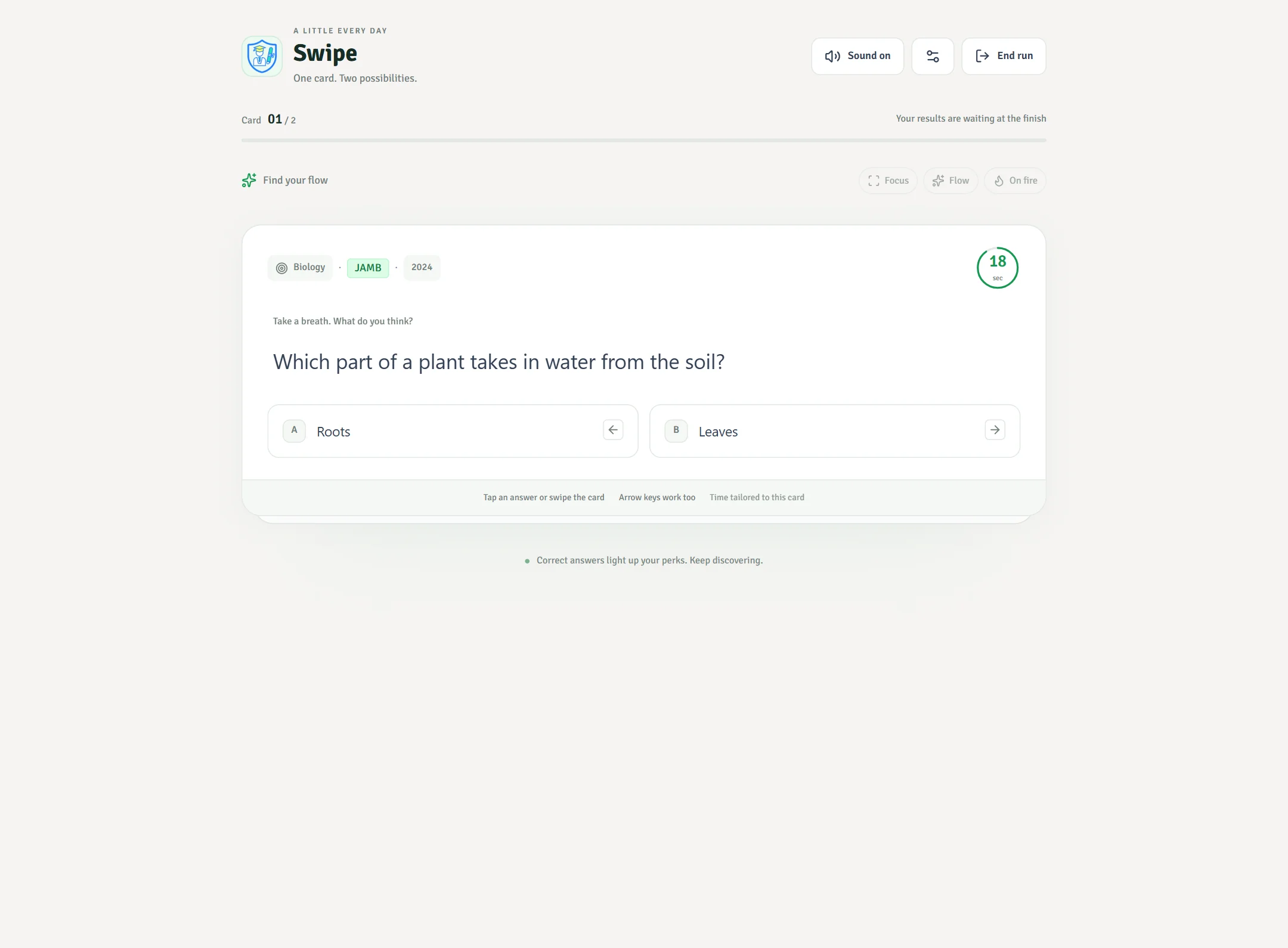
Answer a card
- Tap or click an answer.
- Swipe toward the side you choose.
- Or press the left or right arrow key.
The card shows the subject, countdown, score and progress. Feedback animations distinguish correct and incorrect choices. The correct choice is revealed where appropriate, and the card is locked during feedback to prevent a second answer.
Correct answers build your combo. Boss cards offer a larger scoring opportunity. A timeout leaves the card unanswered and breaks the streak. Text cannot be selected while playing and swiping.
Sound and ending a run
Mute or unmute feedback with the sound button; the device remembers your choice.
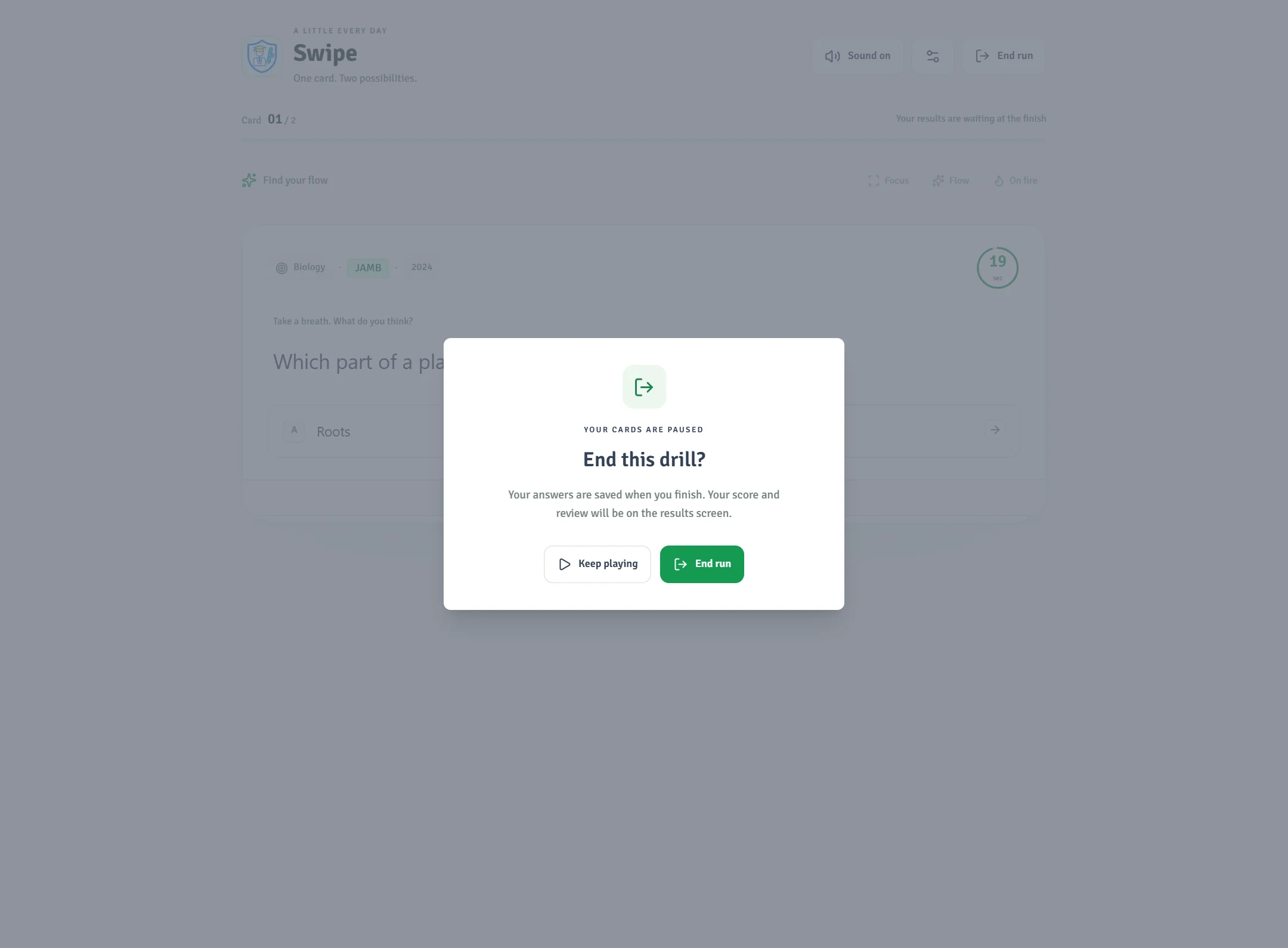
End run opens an in-app confirmation and pauses the timer. Keep playing returns you to the run. Confirming ends it and records answered cards; the remaining cards are unanswered, not automatically wrong.
Results and screenshots
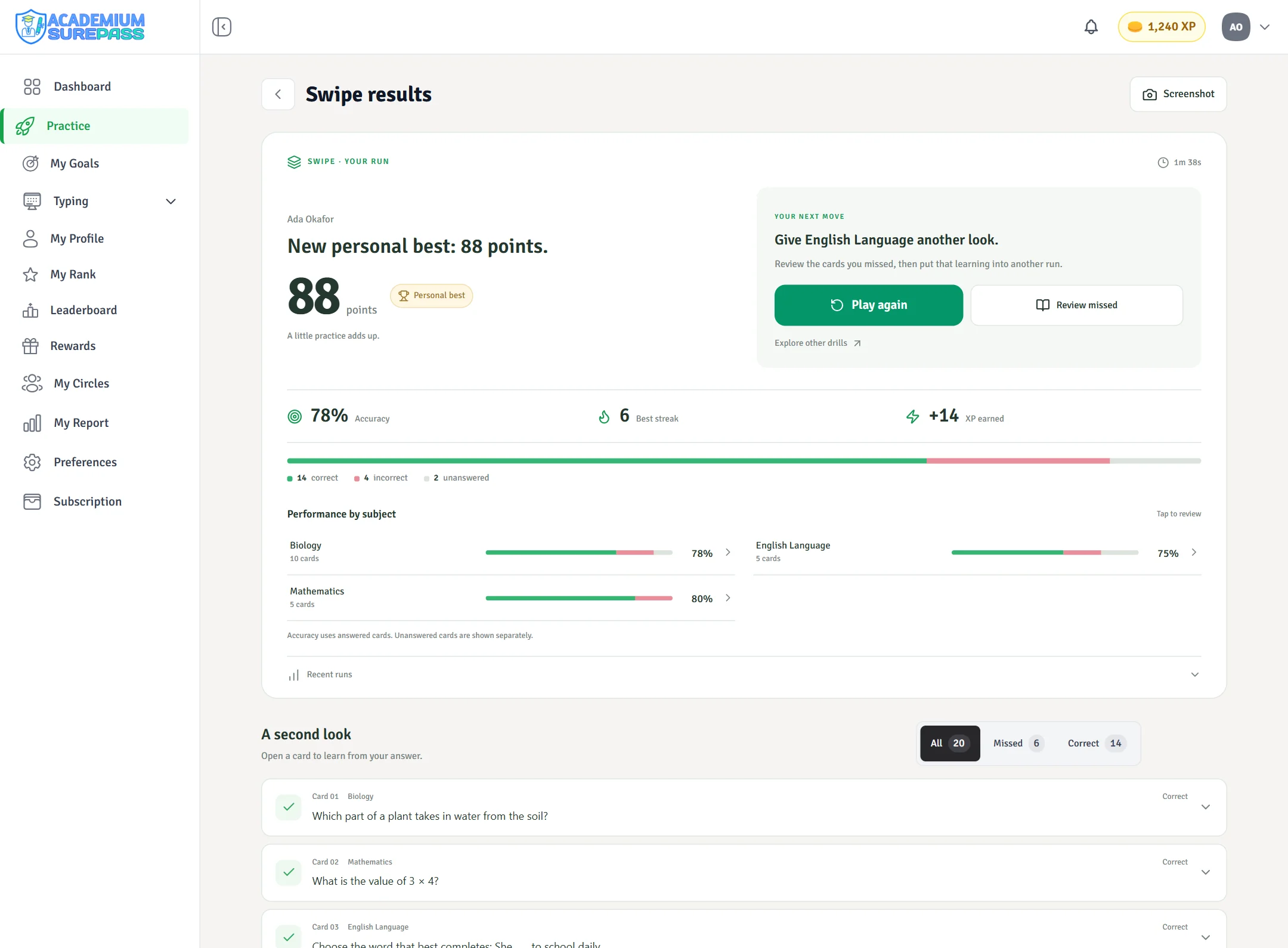
The results screen shows score, correct, incorrect and unanswered counts, accuracy, best streak, XP and recent Swipe scores.
Subject performance separates correct, incorrect and unanswered cards. With no answered cards, a subject has no accuracy figure rather than an automatic zero. Select a subject to filter the review, or filter by card outcome to inspect mistakes and unanswered cards.
Screenshot opens a preview to save a result image. Check the personal information and sections before sharing. Exporting does not change the recorded score or submit a school test.
If saving fails, keep the screen open and use the in-app retry when the connection returns.