Practice results and your practice report
Your result
After you finish, you see:
- Passed! or Keep Practising, your score, and a message from Cadem;
- Correct, Wrong and Skipped counts, the Time and the XP you earned;
- your Score Trend across attempts;
- a Leaderboard for shared sets;
- a Subject Breakdown;
- a Question Review with your answer, the correct answer and the explanation.
Previous Attempts lets you look back at earlier tries.
The set's page
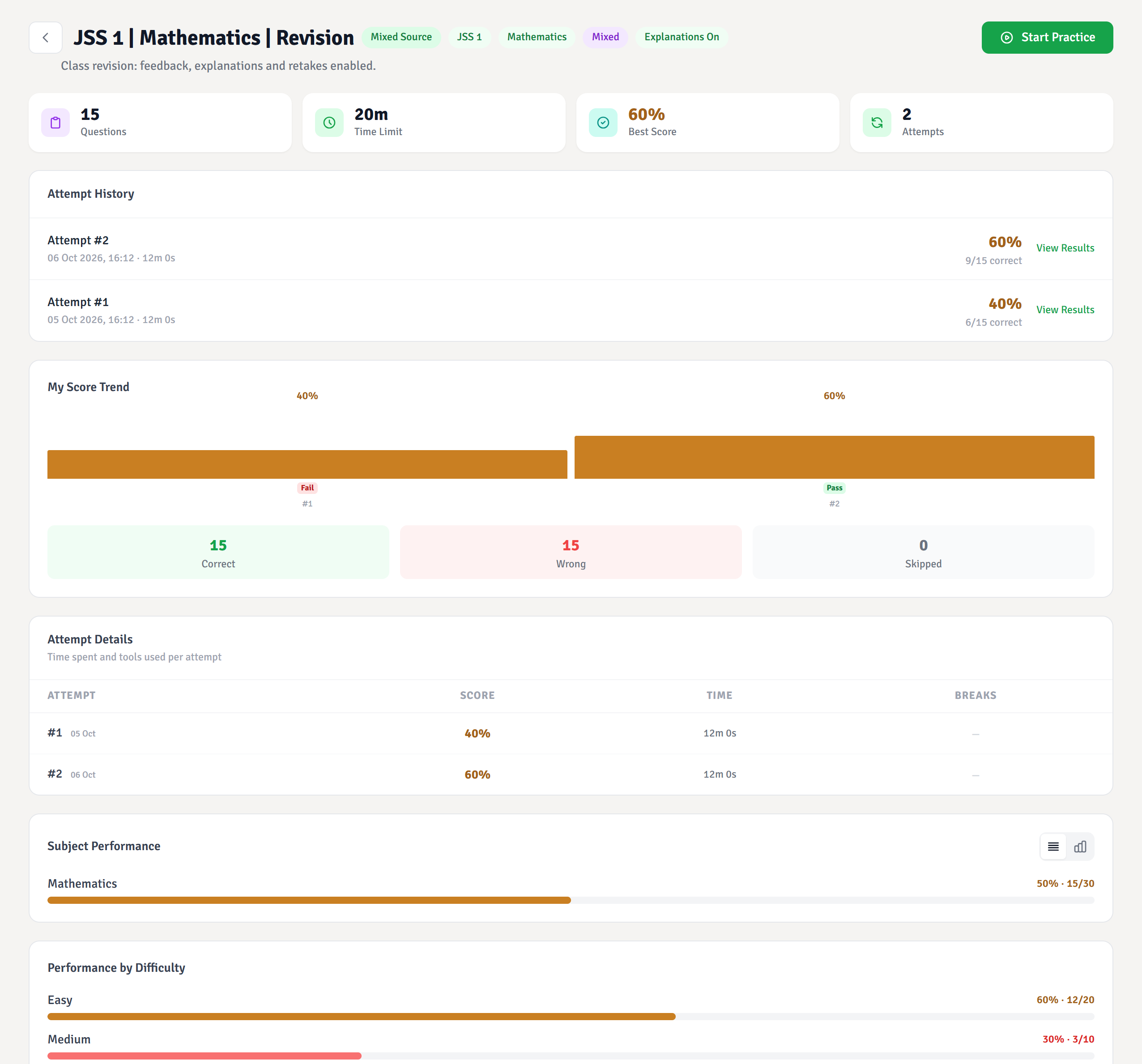
Open the set again to see your Attempt History, My Score Trend, Attempt Details (time spent and tools used each time), and how you did by subject and difficulty.
Your practice report
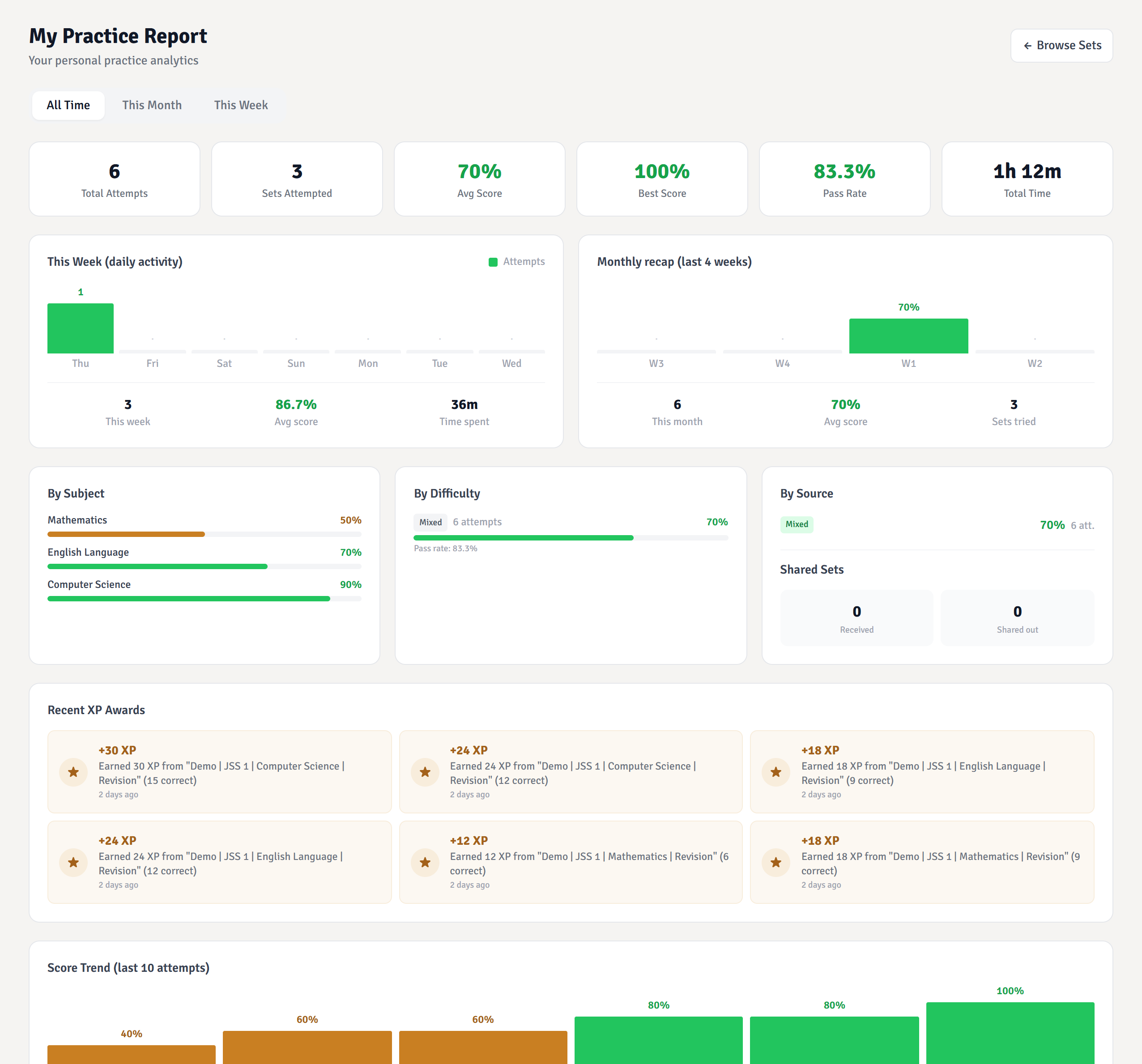
My Practice Report shows all your practice together: this week's activity, a monthly recap, results By Subject, By Difficulty and By Source, shared sets, recent XP, your score trend, and your full Attempt History, which you can filter.
See also My Report.
Reading different result screens
A practice percentage, a drill game score, XP and Rank Points measure different things. Compare like with like.
For the separate Swipe result screen, see Swipe. It includes subject performance, answer-outcome filters and a screenshot preview. An unanswered card is different from a wrong answer; check the labels before comparing totals.