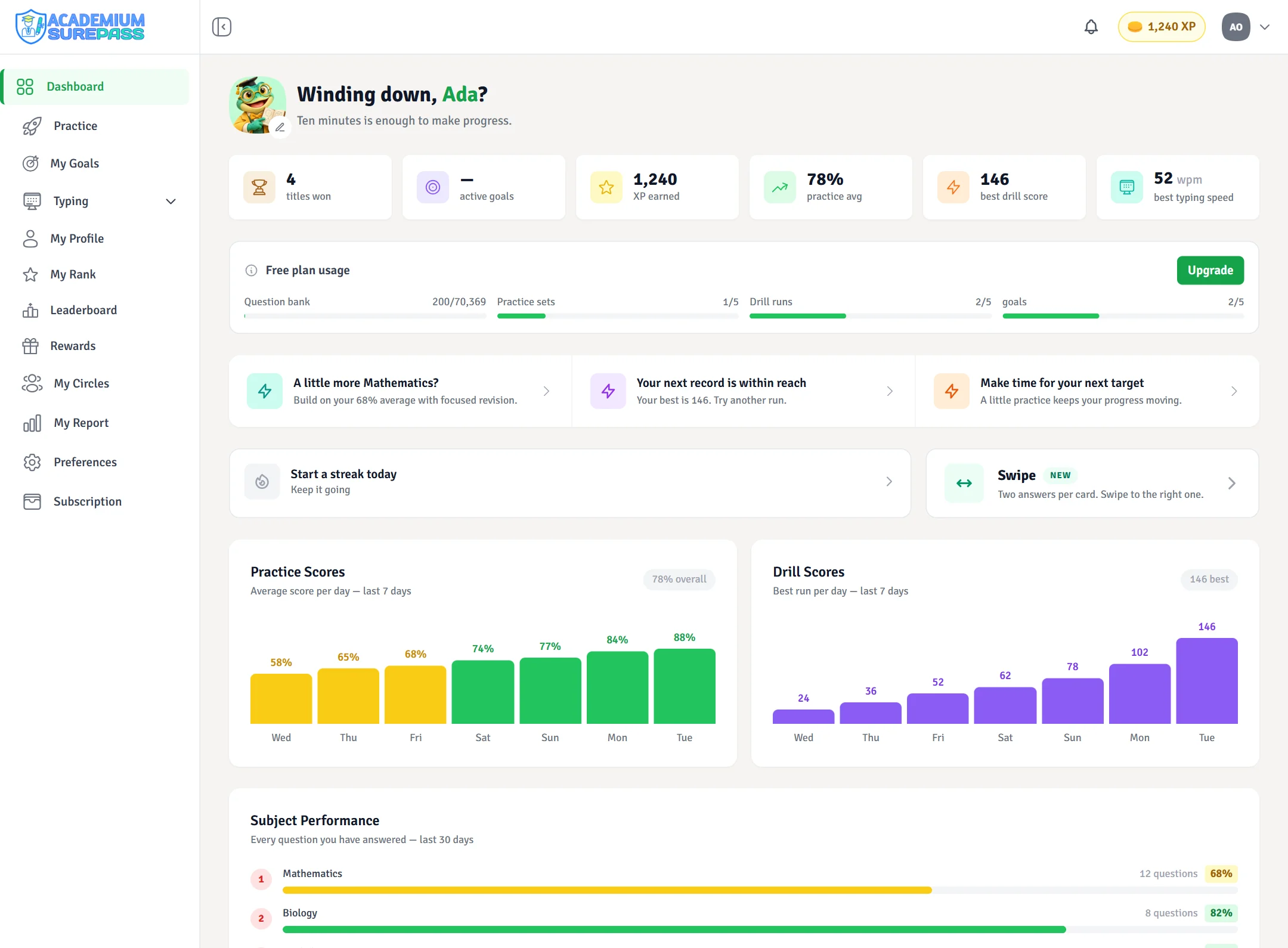
The student dashboard
Your dashboard helps you choose the next activity and follow your progress. What appears depends on your account and whether you are using personal learning or your school's assessment screens.
Personal learning shortcuts
Open Practice, Drill Mode or Goals from the shortcuts offered. The practice chooser has Mixed, Core subjects, Build your own, Question Library and Fix weak spots, where available.
- Mixed draws across your selected subjects.
- Core subjects uses the compulsory subjects available at your level.
- Fix weak spots needs enough completed practice to identify an area to work on.
Both Mixed and Core subjects let you choose the question count and time. See Quick practice.
Usage and your question bank
Where an allowance applies, the usage panel shows the used and available amounts and the period for each. Daily practice sets, daily drill runs and lifetime goal creations are different counters.
The question meter compares the personal question amount with the available catalogue figure. The catalogue can be larger than the questions ready on this device. The questions offered to you follow your active learning profile, not every question stored on a shared computer.
Progress and next steps
Look for practice and drill trends, subject performance, goals, streaks and recent activity. Follow links to My Rank, My Profile, Hall of Fame and Rewards where shown. A day without activity is different from scoring zero.
Assigned practice and invitations appear separately. Use Resume for a supported unfinished attempt rather than creating another set.
School tests and exams
School students can see Live Now and Starting Soon work for their class, with times and instructions. During an outstanding live or upcoming sitting, Academic mode can hide learning rewards and revision tools to keep attention on the paper.
Learning mode returns when there is no outstanding sitting in that period. Your school's enabled features still apply. Formal assessments are not offered through every Individual Edition account; use the school/centre or lab sign-in provided for the sitting.