Manual Grading
Theory answers need a staff member to award marks. Objective answers are marked automatically, but a mixed paper remains provisional until its theory work is finished.
For a school, open Report Center → Manual Grading.
Find the sitting
Use the schedule list and its available filters to find the intended test or exam. Check the title, subject, classes, and term before opening it.
The sitting’s page lists submitted attempts. If several classes sat the paper, use the class filter to narrow the list.
A Pending count shows work that still needs marking. If no attempts match the selected filters, check the sitting and class rather than assuming every student has been marked.
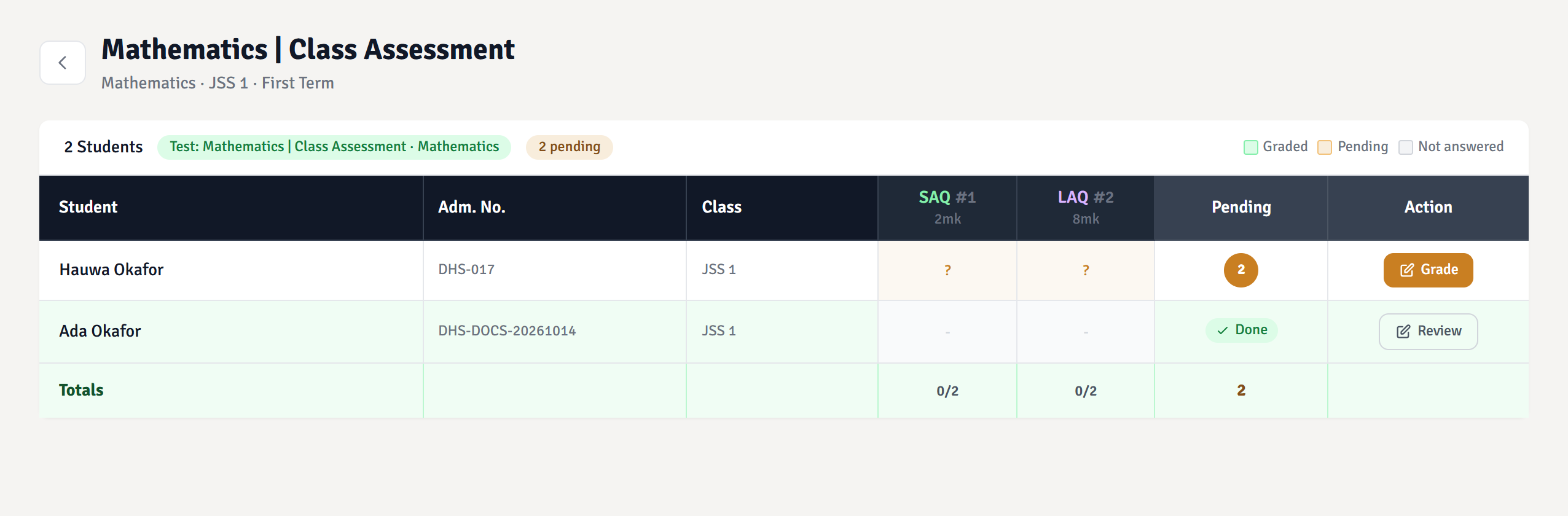
Mark an answer
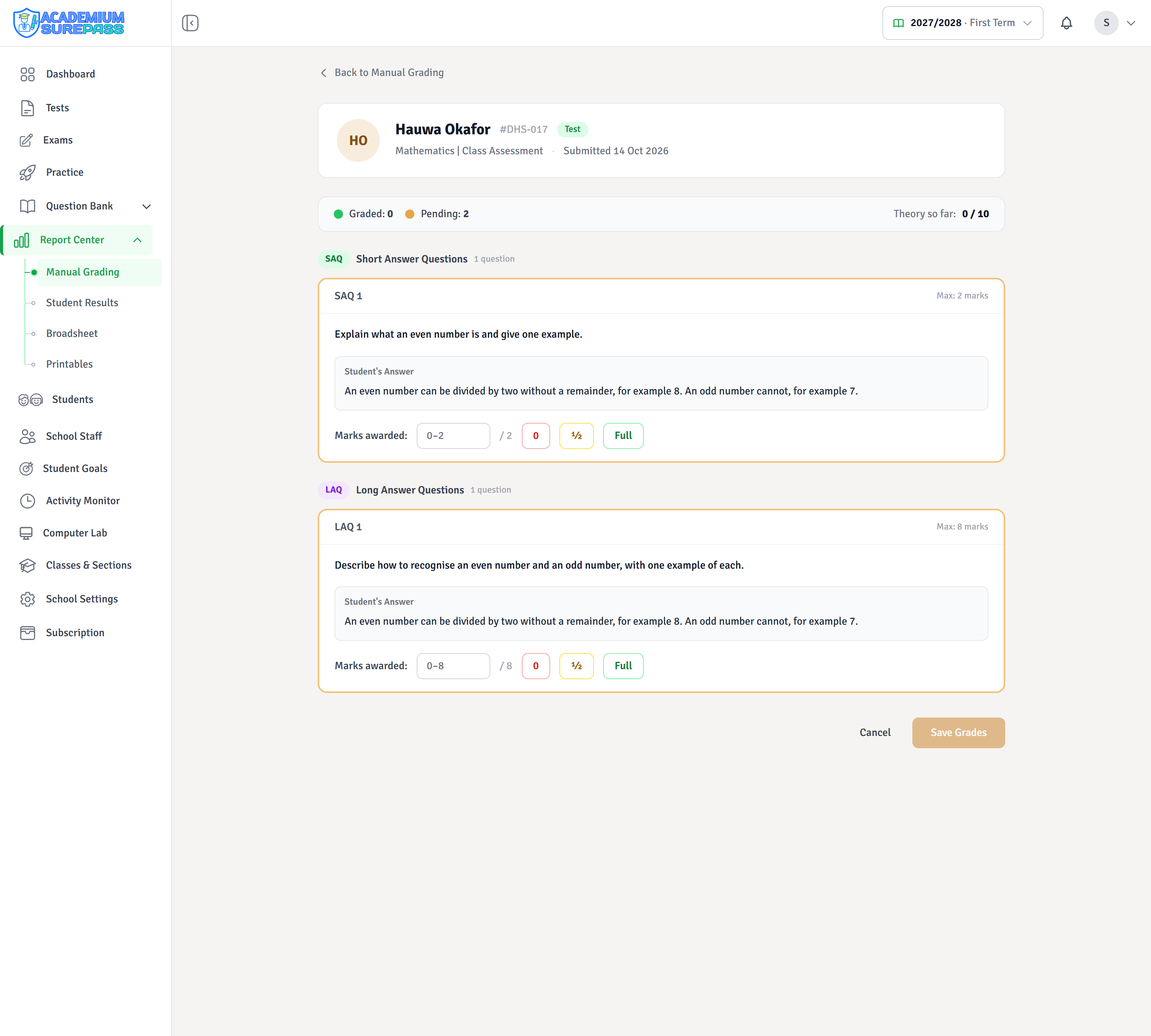
- Open Grade for the intended student.
- Review the objective score and the theory answers.
- Read each short or long answer alongside the question and marking guidance.
- Enter Marks awarded within the available marks. Full awards full marks.
- Wait for Saved before moving on.
- Return to the list and check the remaining pending answers.
Use the same marking standard across the class. Do not award marks based only on whether an answer is long or short.
Review a mark
A graded attempt can be opened with Review. Check the intended answer before changing its mark; saved changes update the result.
If you see Saving… or a save error, keep the page open and resolve that state before treating the mark as final.
Finish the reporting work
Complete pending theory marking before resolving official-result conflicts or preparing an SMS result export.
Then check Student Results and Checking results before reporting.