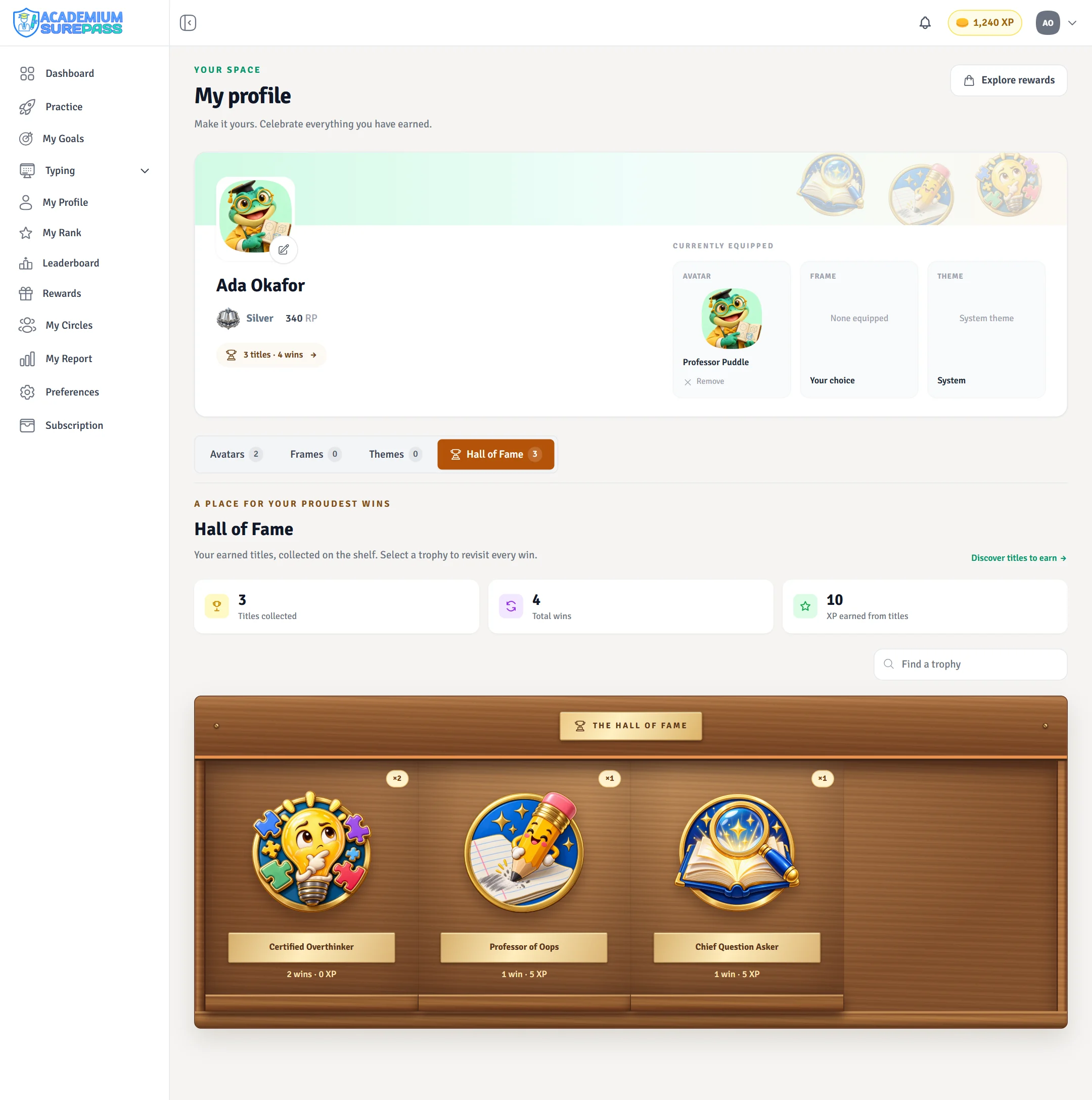
My Profile
Use My Profile to customise your appearance and see your earned titles. On the Individual Desktop Edition, open it from the title-bar menu; other editions may show it in the sidebar.
Your appearance
Choose Avatars, Frames or Themes to browse your owned choices. Equip one item of each type, replace it with another, or remove it. Use Show more if needed.
A frame surrounds your picture where supported. Your rank emblem and RP describe your learning progress; changing an avatar does not change your rank.
To unlock more choices, open Rewards.
Hall of Fame
The Hall of Fame shows your earned titles and wins. Titles are achievements rather than a single title you wear beside your name.
Photo, country and account details
Use Profile Settings to change your name, password, country or profile photo where offered. Follow the file formats and size limit shown by the upload form.
An offered country reward uses the country on your profile. Read its conditions; changing country is not the same as buying a reward.
What other people see
Your own profile shows your details. Use Privacy on Leaderboard to choose which parts of your leaderboard card other people can see and whether to use an alias outside your circle.
Learning choices belong in Preferences → Learning Preferences, rather than your appearance settings.
See Your profile and password and Preferences.