Scheduling a test
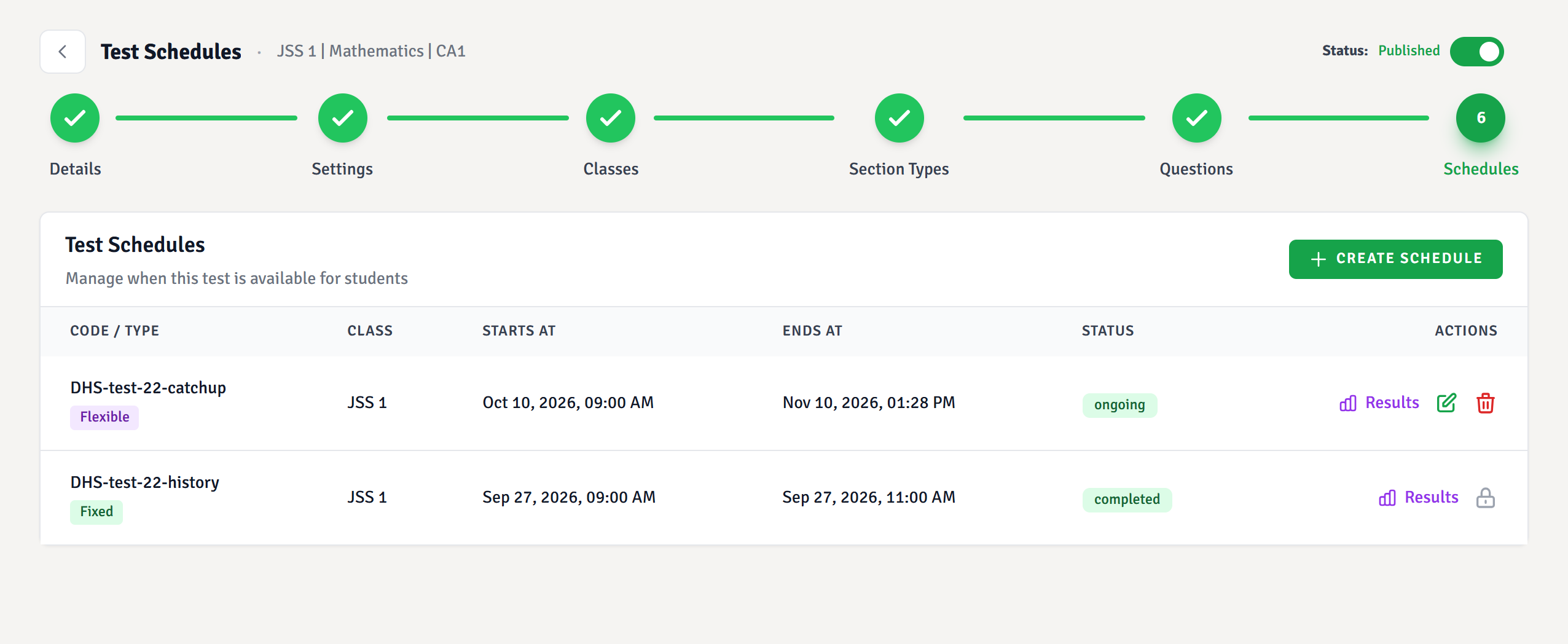
A schedule makes a published paper available for a sitting. One paper can have separate schedules for different classes or times.
Before scheduling
Review the subject, assessment type, classes, sections, questions, marks, duration, and tools. Add questions to every required section, then Publish Test.
Publishing prepares the paper for scheduling; students still need an appropriate open schedule.
Create the schedule
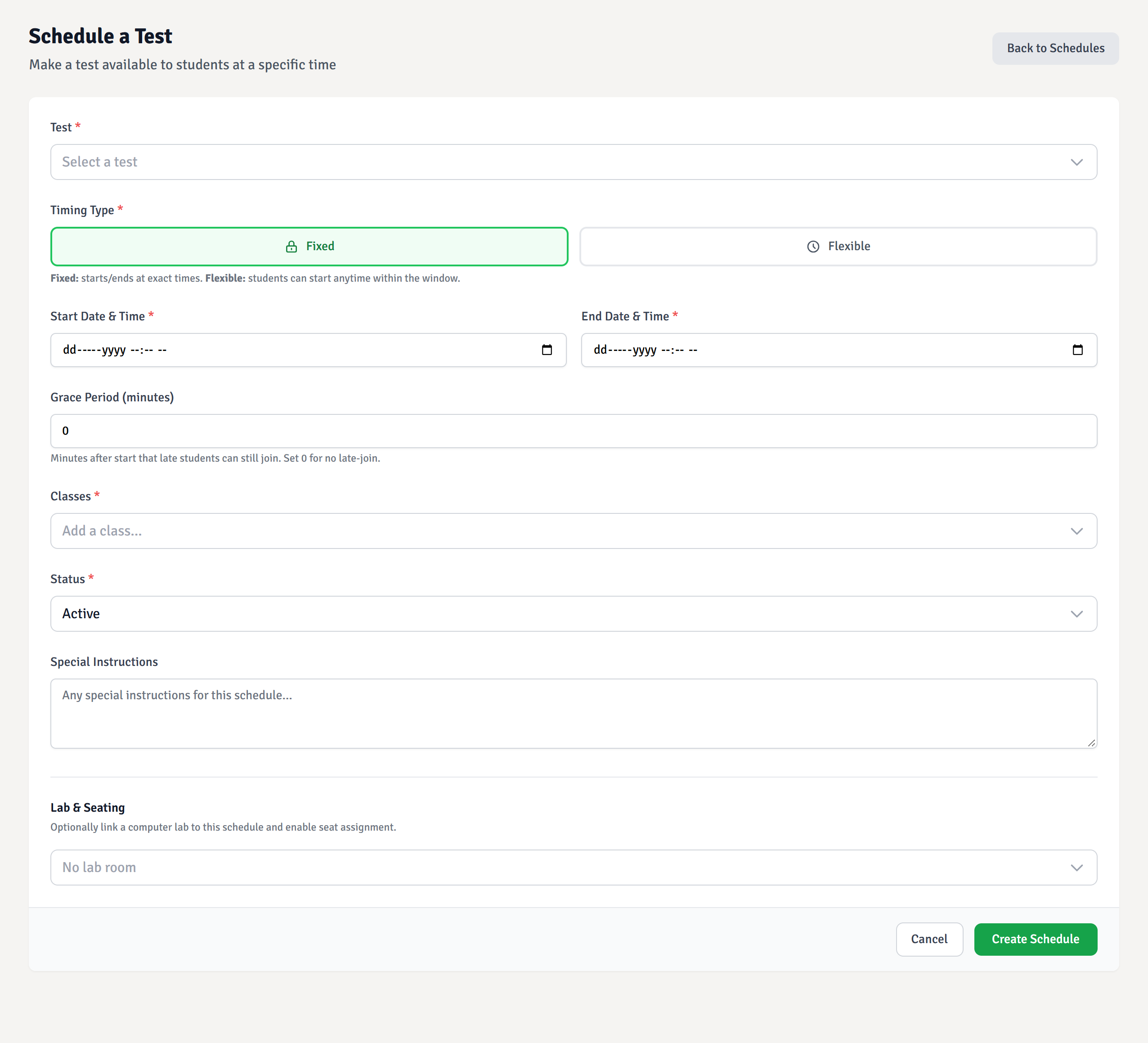
Choose Create Schedule and review:
| Field | What to check |
|---|---|
| Timing Type | Fixed uses the stated sitting times; Flexible allows students to start within the chosen window |
| Start and End Date & Time | The correct day and time, with the end after the start |
| Grace Period (minutes) | A positive value closes new entry that many minutes after the start. 0 disables this extra entry cutoff while the schedule is active |
| Classes | The intended classes and sections |
| Status | The intended availability state |
| Special Instructions | Instructions specific to this sitting |
| Lab & Seating | The correct lab room and seat-assignment choice, where available |
Review the full schedule before saving. Note its code when communicating with invigilators or support.
The entry grace period controls when a student can join; it is not an extra-time award. Check the paper’s duration and schedule end as separate settings.
Lab seating
A linked lab and enabled seating let staff assign students to computers. Review seat assignments before issuing temporary-password dockets.
See Seating and temporary passwords.
Change timing during a sitting
Use the live monitor’s Edit menu and timing control when available. Review the displayed changes before saving.
Changing the schedule window differs from adding time to a student’s attempt. Use Extra time for the intended student or group instead.
Repeated sittings and results
Before arranging a resit, review the allowed attempt limit and the way repeated results will be selected in Student Results.
A schedule with completed student work is protected from deletion. Keep completed sittings for the school’s records.
Unpublishing
When students have already taken a paper, review the choice to keep results in the academic record or hide them. Hiding a result changes how it appears in school reporting.
Common questions
A student sees Entry Closed. Check the start, end, and grace period. Change the intended timing or arrange an appropriate resit; do not alter their account to bypass the schedule.
Students cannot find the paper. Check publication, status, class and section, entry time, and attempt limit. See School troubleshooting.