Pay grades
A pay grade is a salary structure that several staff can share, such as Graduate Teacher or Senior Staff. Open Payroll → Pay Grades.
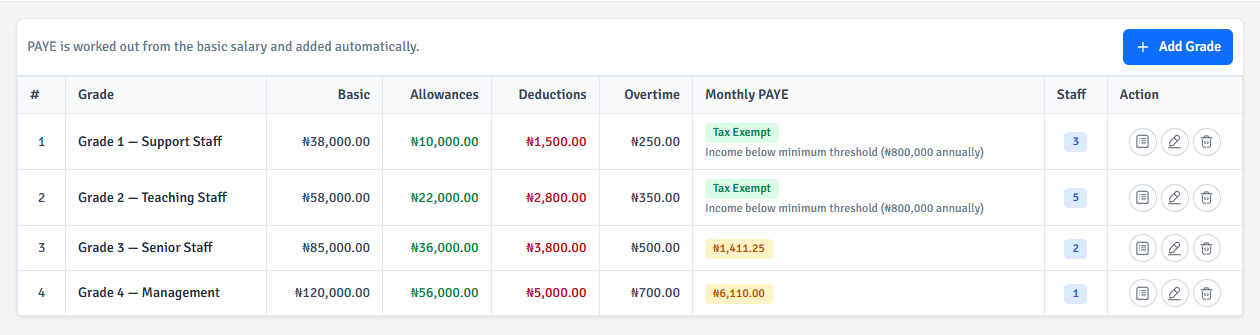
Creating a pay grade
- Name the pay grade.
- Enter the basic salary.
- Add allowances, such as housing or transport.
- Add deductions, such as cooperative contributions.
- Save.
PAYE is worked out for you from your tax bands. The PAYE line is locked, and recalculated every time you save the grade.
Next step
Assign the pay grade to staff. See Assigning pay grades.
Works with other parts of SMS
- PAYE is worked out from your tax bands whenever a grade is saved.