Account Management
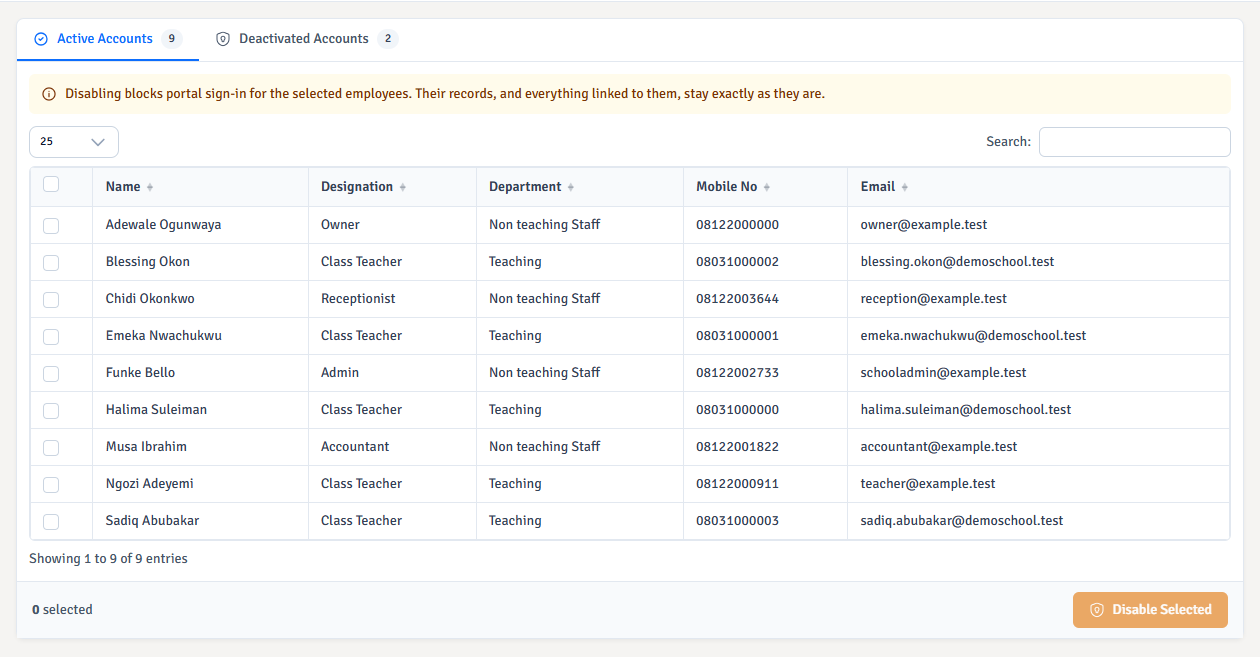
Employees → Account Management turns off a person's sign-in without deleting their record or history. Use it when someone leaves, or is suspended.
To stop a particular computer being used, or to sign someone out of one, use Devices & Access.
Login details on a staff profile
Open Login & Security on the staff profile. The current username is locked by default; choose Edit to unlock it for a deliberate change. Save a valid username before allowing the account to sign in. A blank username requires Prevent Login to be enabled.
The school owner's account cannot be prevented from signing in. Use authorised account recovery or device controls when you need to help an owner regain access. Changing a password does not require clearing the username. Leave the password empty when keeping the current password.
Works with other parts of SMS
- Turning sign-in off stops a person using SMS on any computer; see also Devices and access.